PROCEDURE
1.Click on administration.
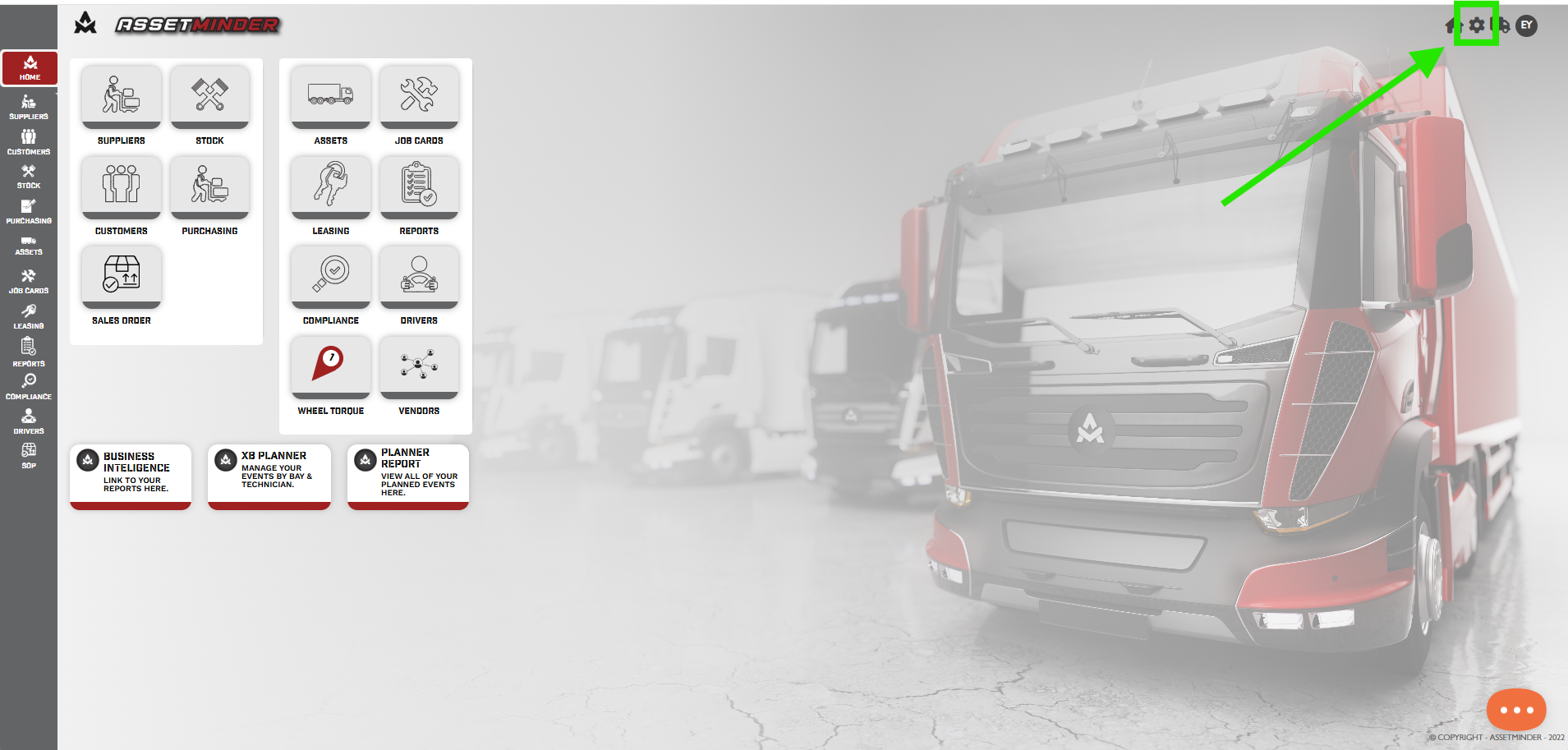
2. Click on Planner.
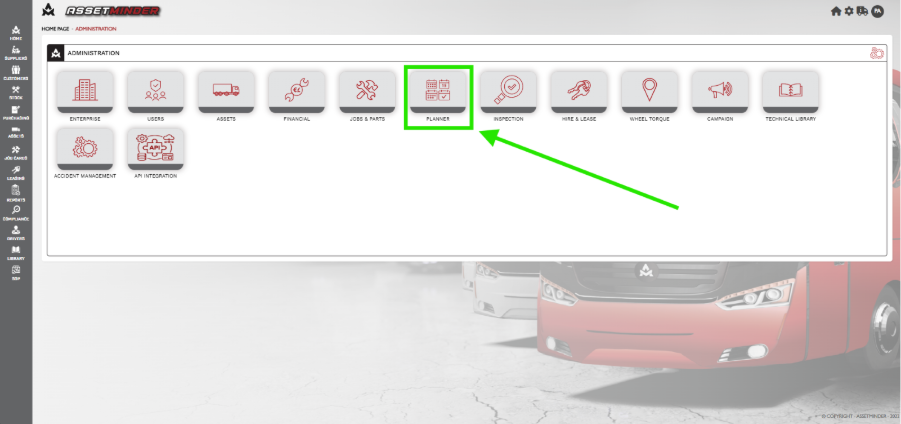
3. Click on Maintenance Planner
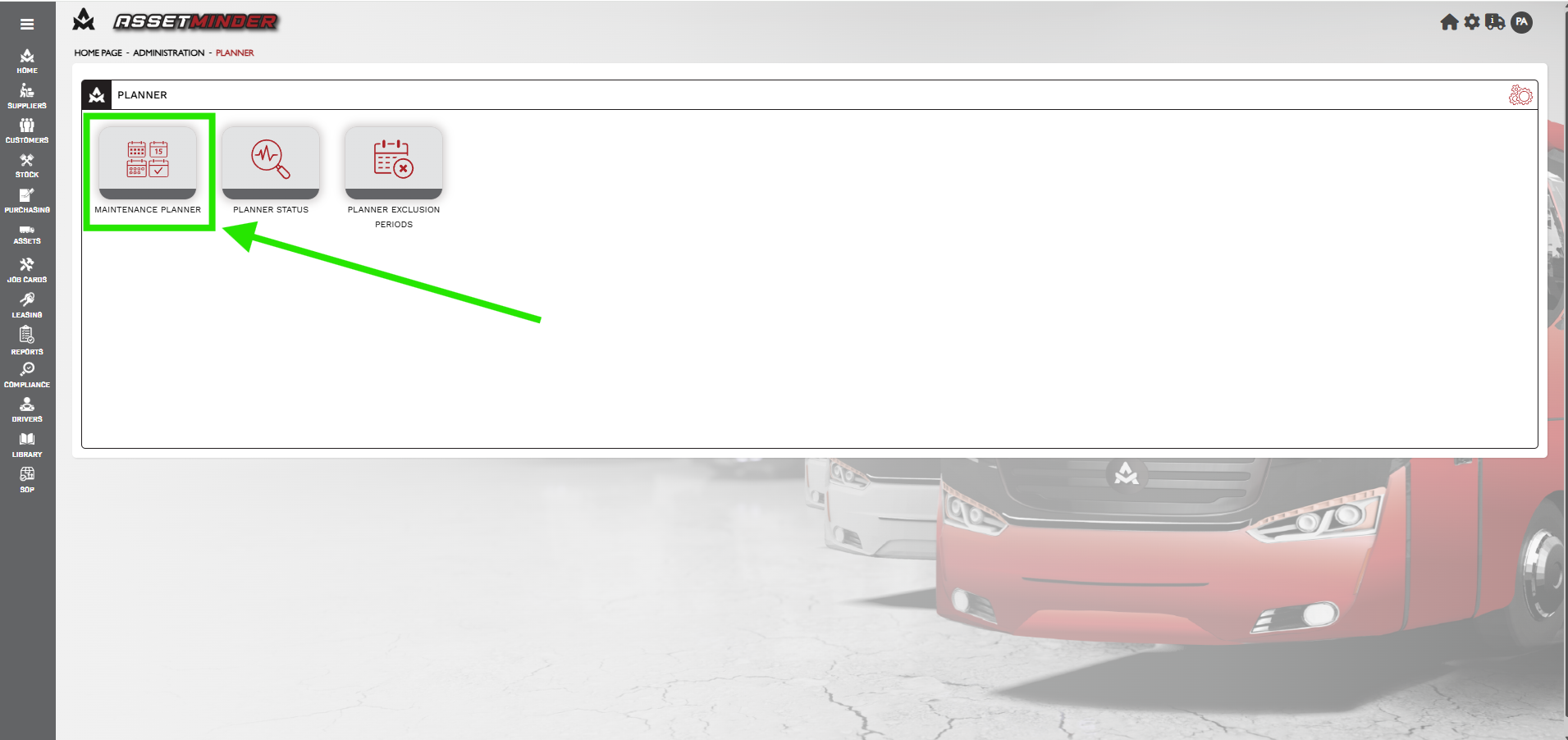
4. Click Add New.
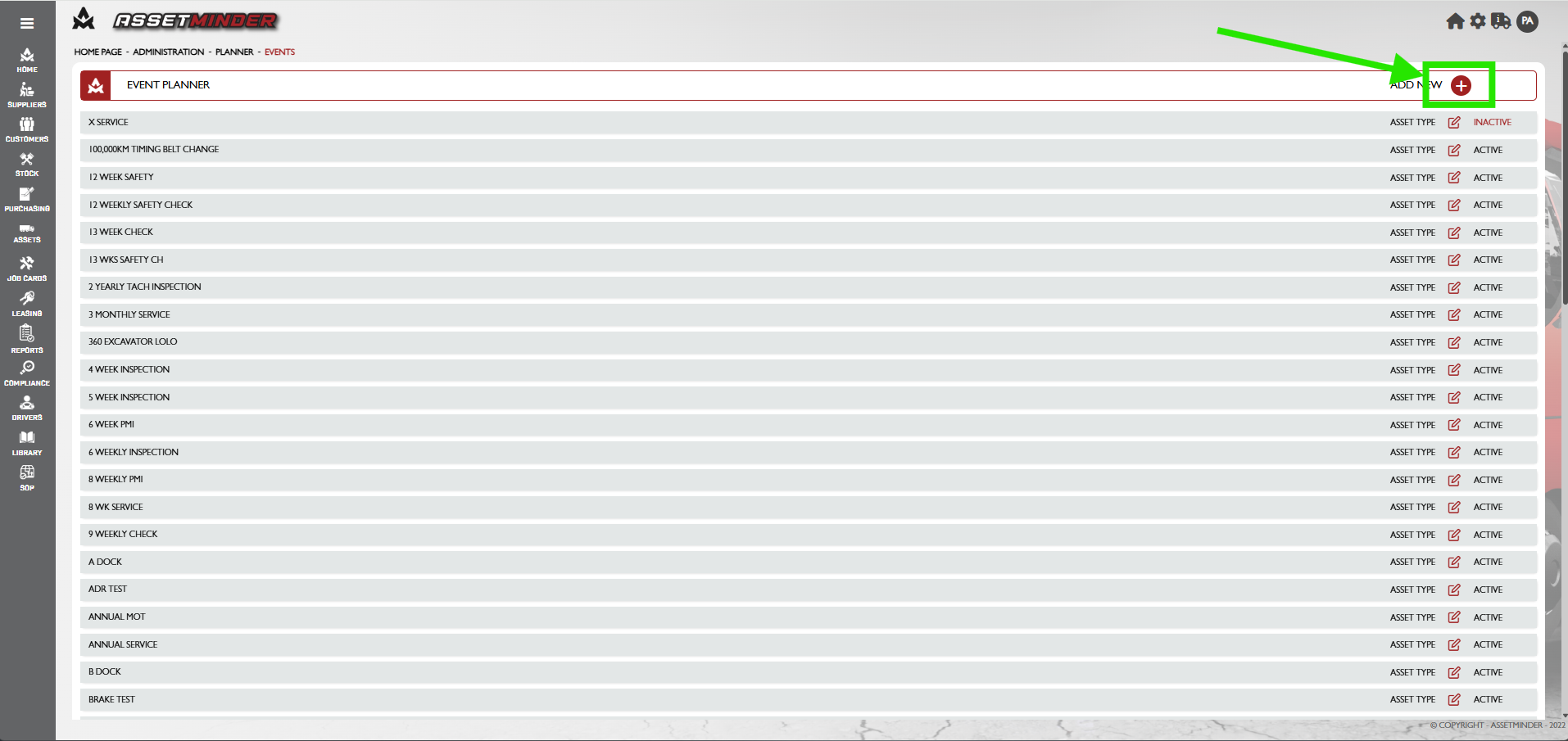
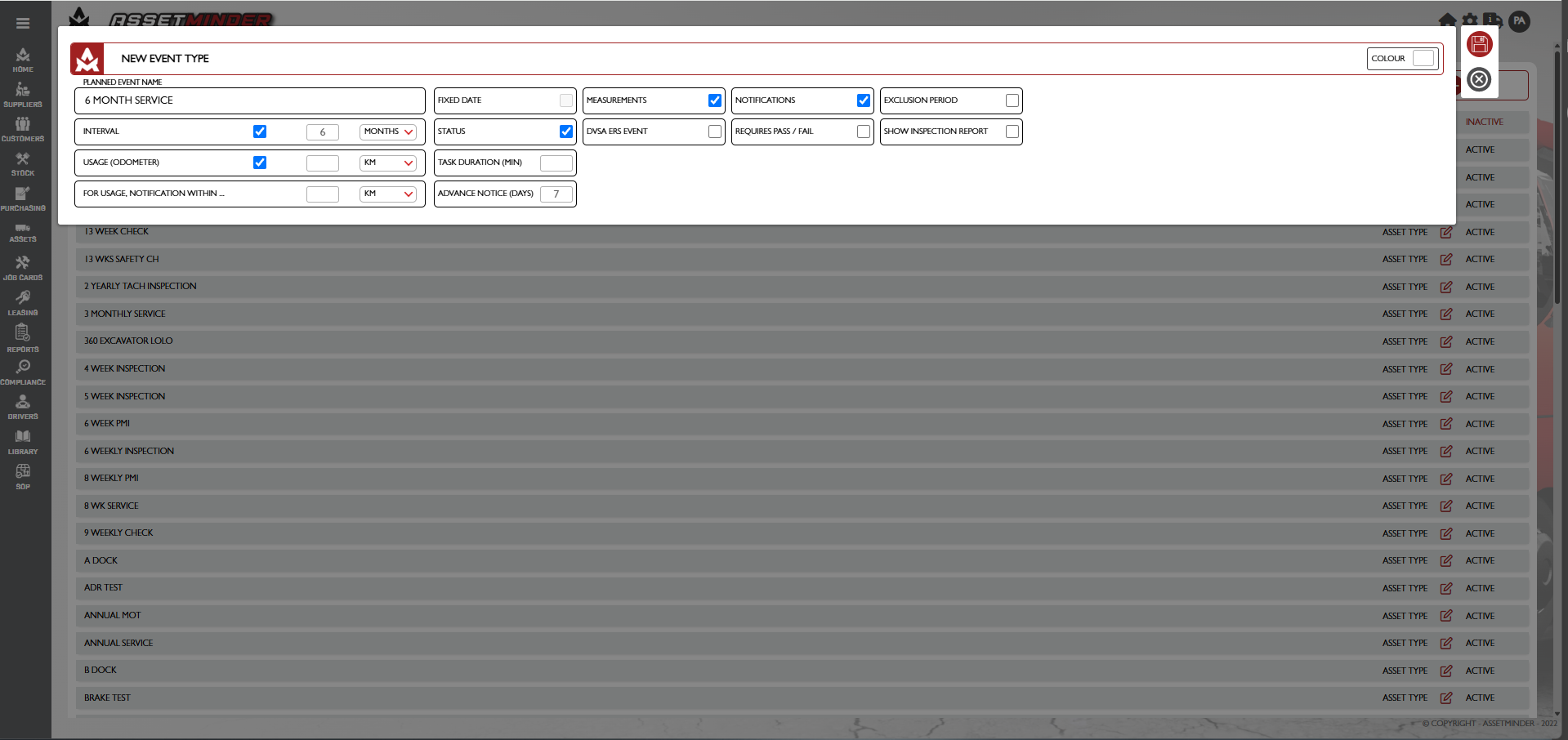
5. Enter the title, interval and usage. Check any other requirements i.e. Measurements, Notifications etc. Click Save.
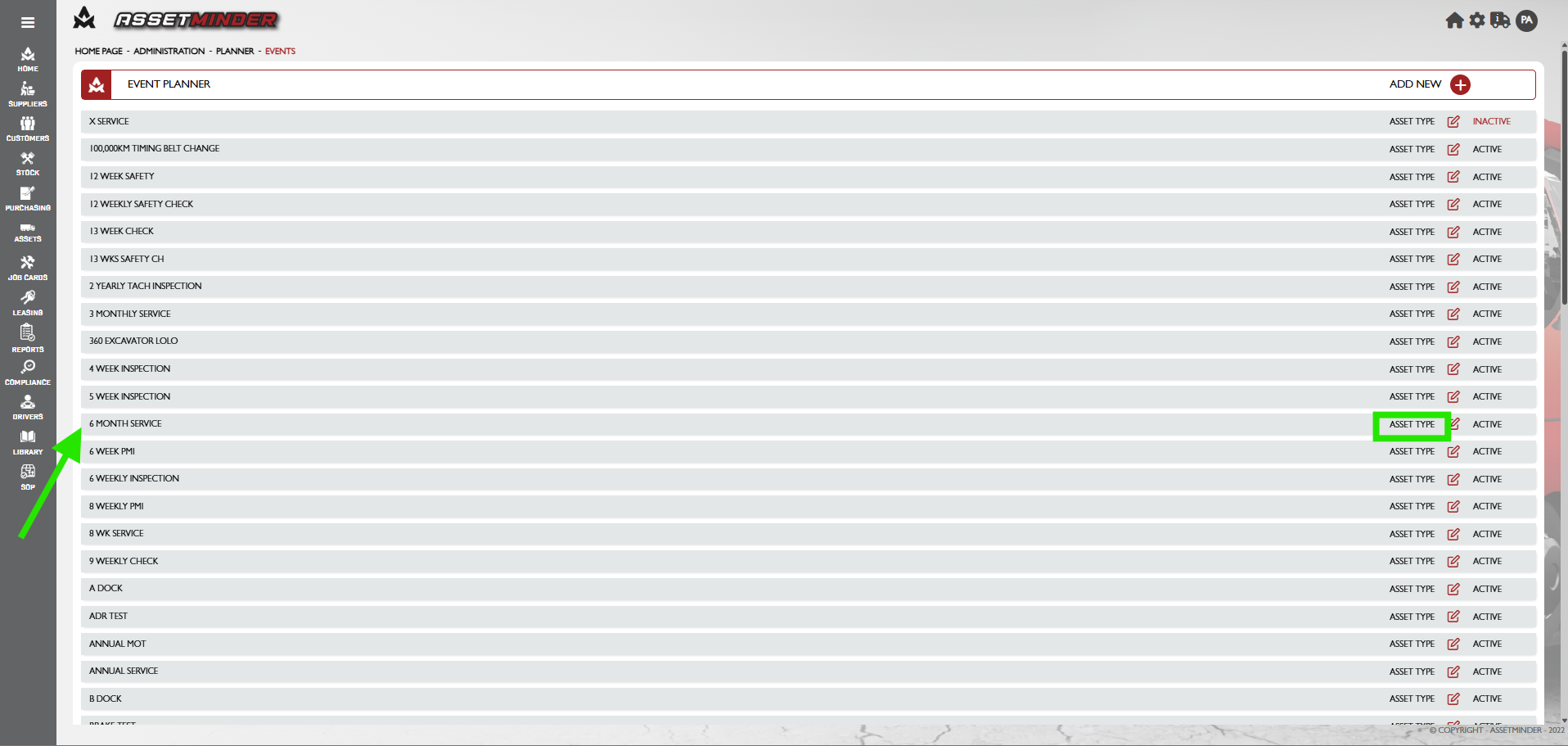
6. The event is now created. Click on the asset type.
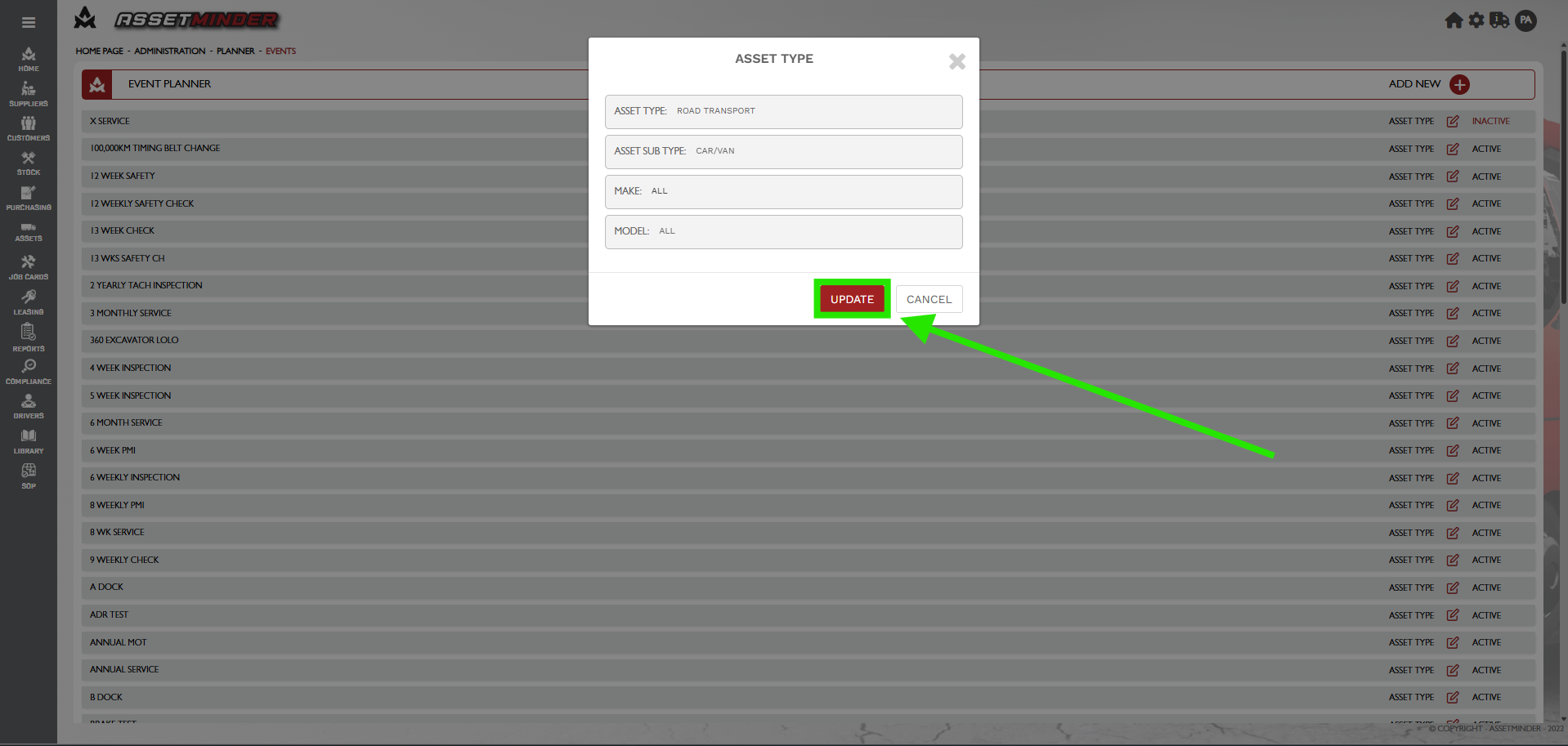
7. A dialogue box will open. Select the asset type.
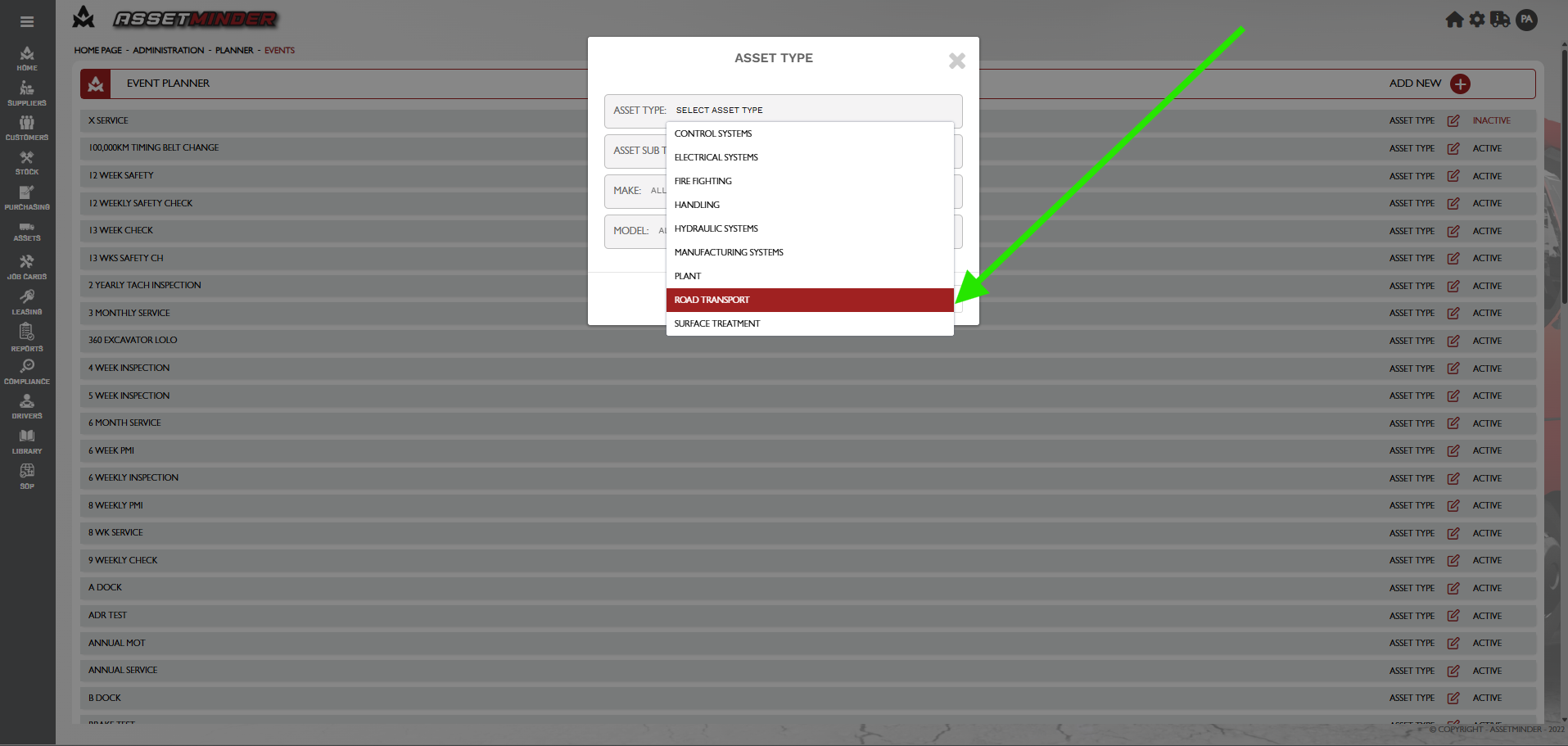
It is best practice to specify the asset type and sub type for each type of planned event. Only specific events to that asset will appear when adding.
8. Select the sub asset type. The option to choose, multiple or all is available. Make and Model may also be entered if required.
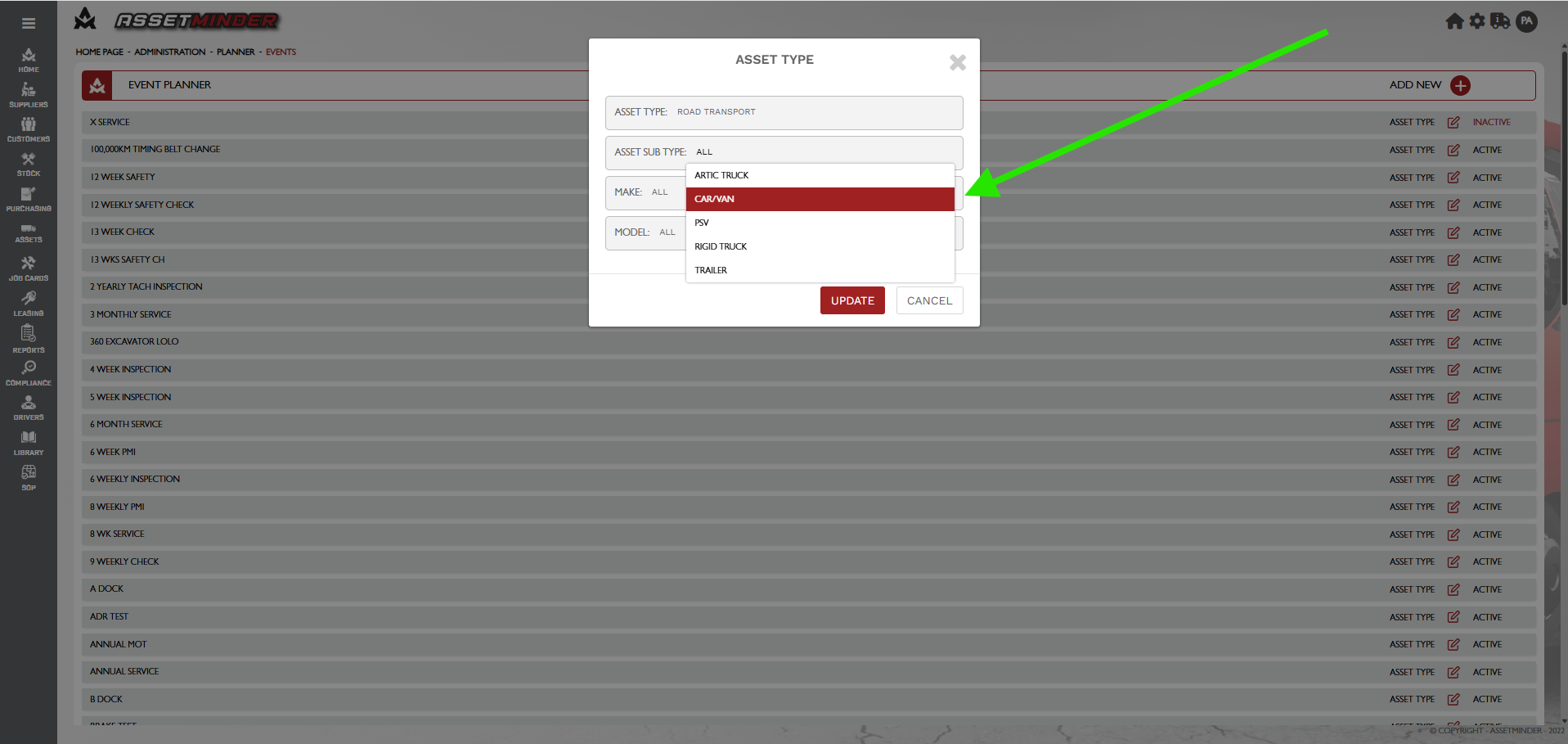
9. Click UPDATE.
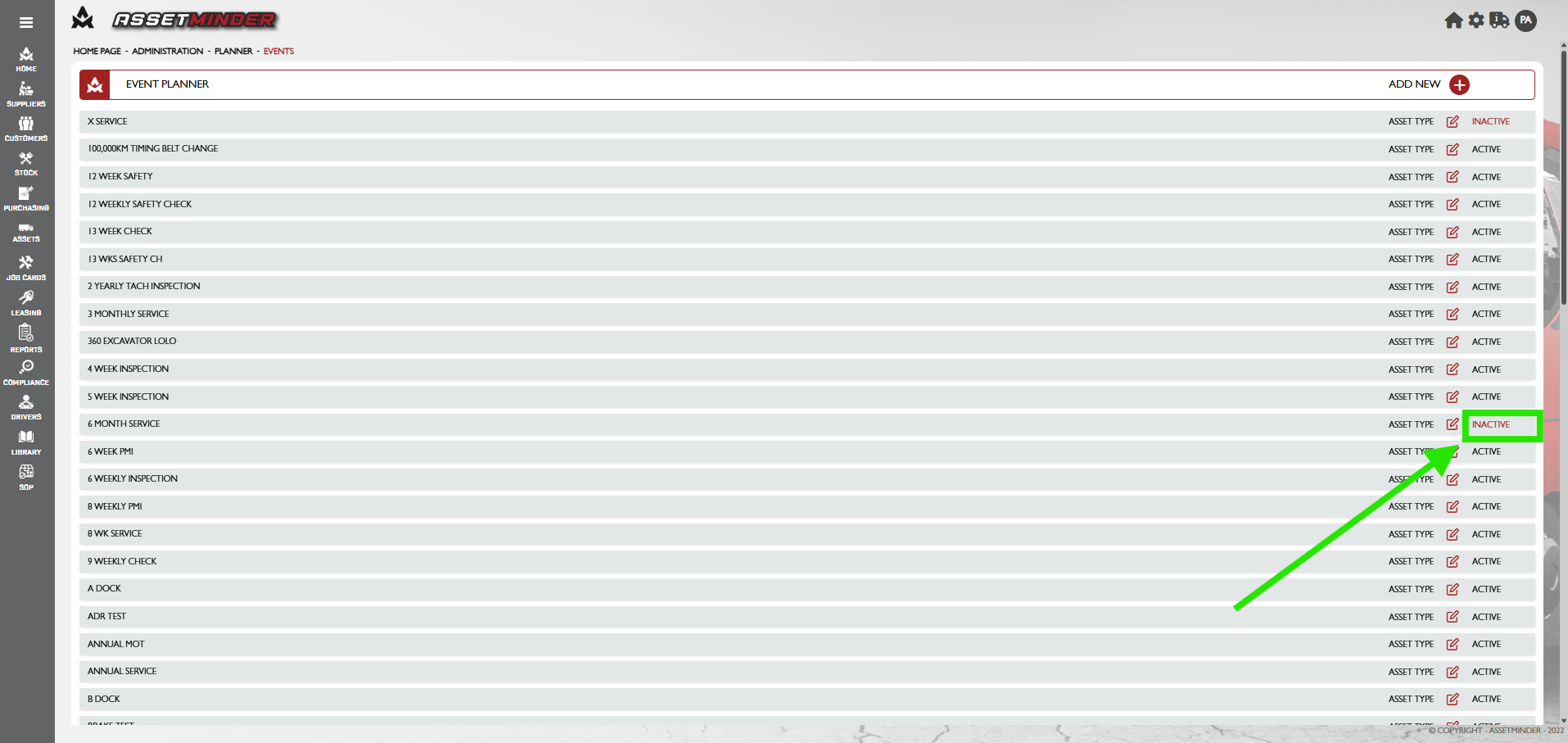
10. The event can be activated / deactivated by clicking on active/inactive.
Paul Murray
Comments