If an event is missed it can be rescheduled so that the time frame for the next event will be the same.
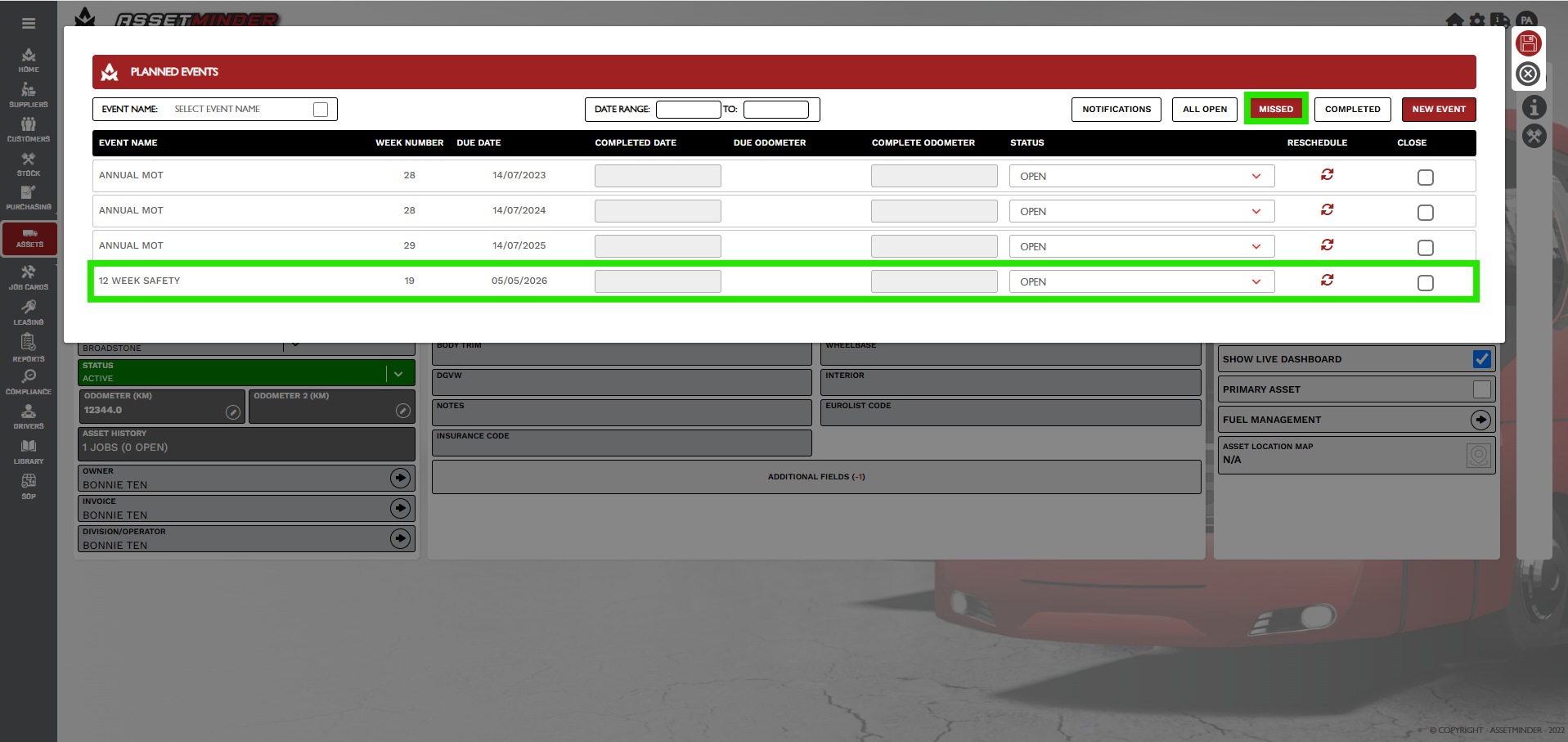
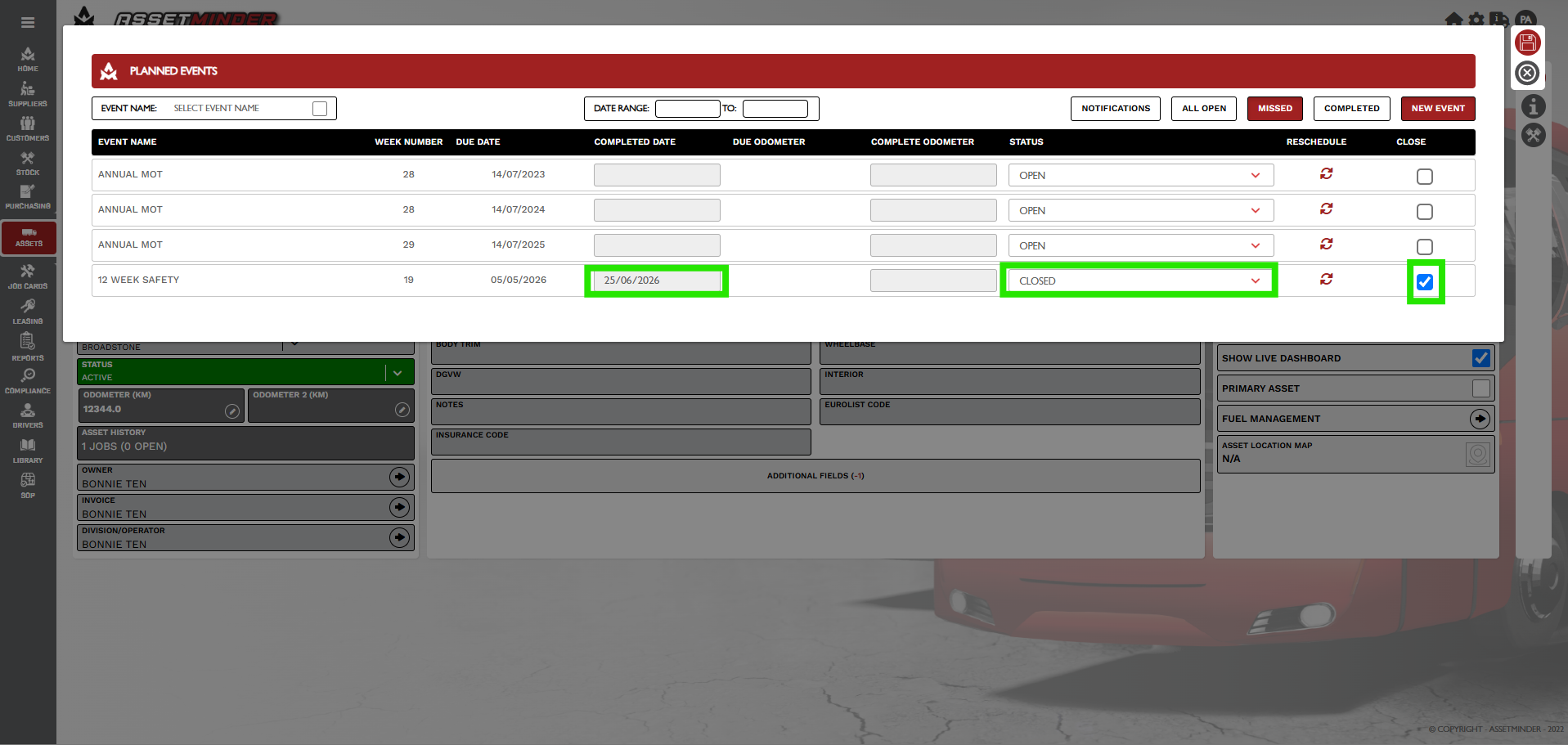
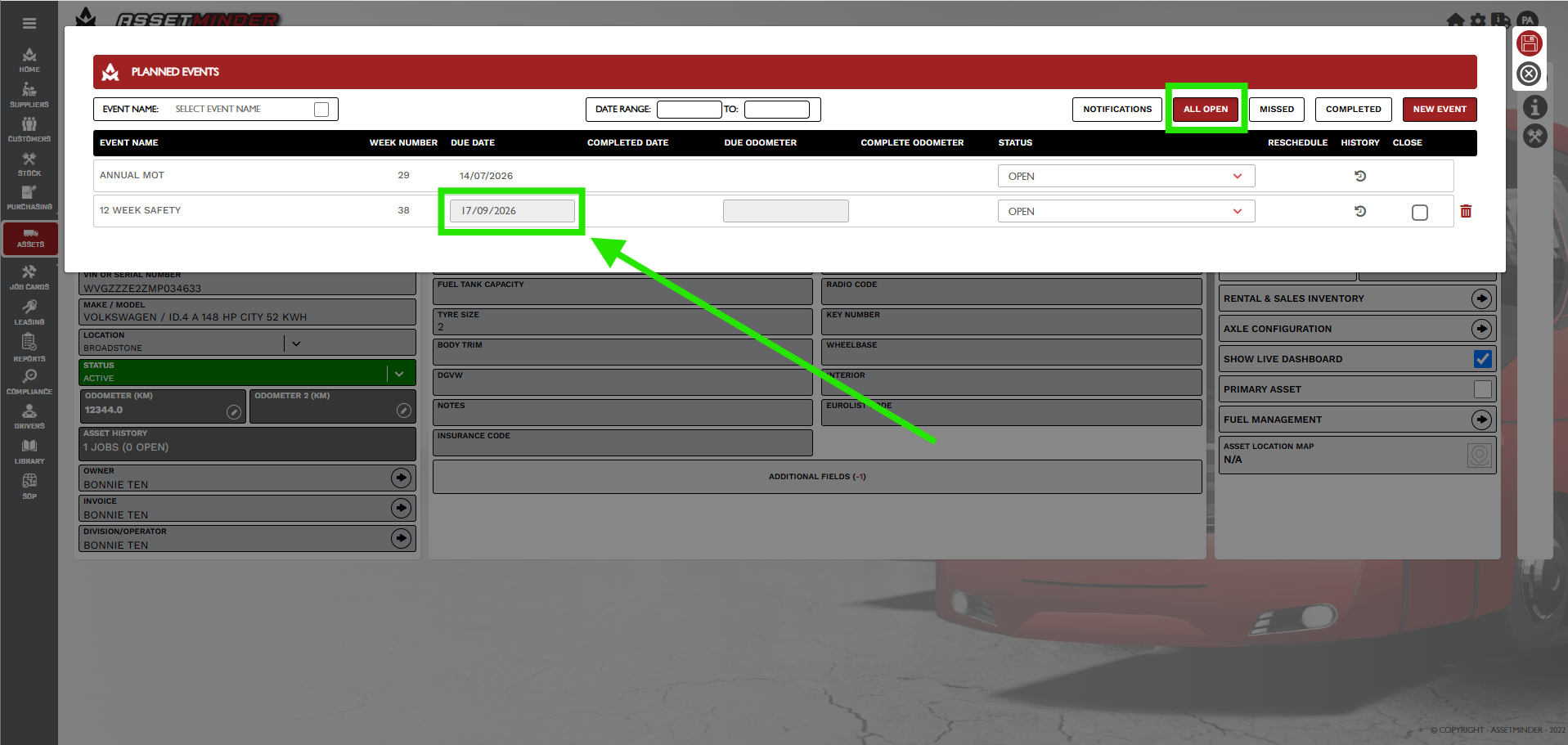
In this example the 12 Week safety event is due to completed on 5th May. If the event was carried out on the 5th May the next event would be 28th Jul. The inspection is not completed until 25th June. The reschedule option is used so that the next event is 12 weeks from the 25th June i.e. the 17th Sep.
PROCEDURE
1.Open the Planned tasks for the asset.
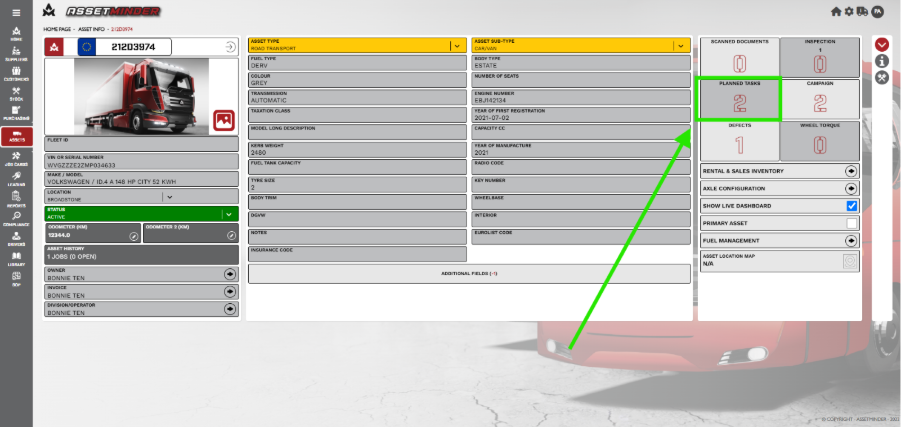
2. Click on the MISSED events. The 12 week safety is in the list.
3. Enter the Completed DATE, select CLOSED and tick the Close option.
4. Click on the reschedule icon.
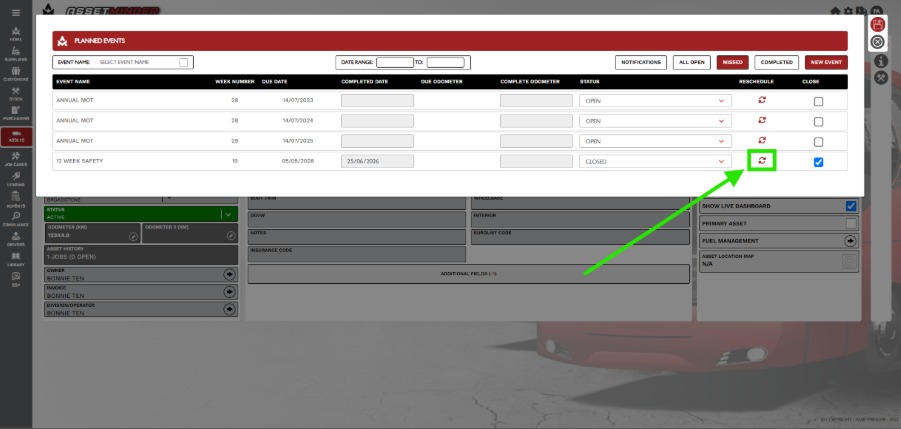
5. The 12 week inspection will now be rescheduled and have a new date based on the date the event is completed have a new Due Date 17/09/20xx.
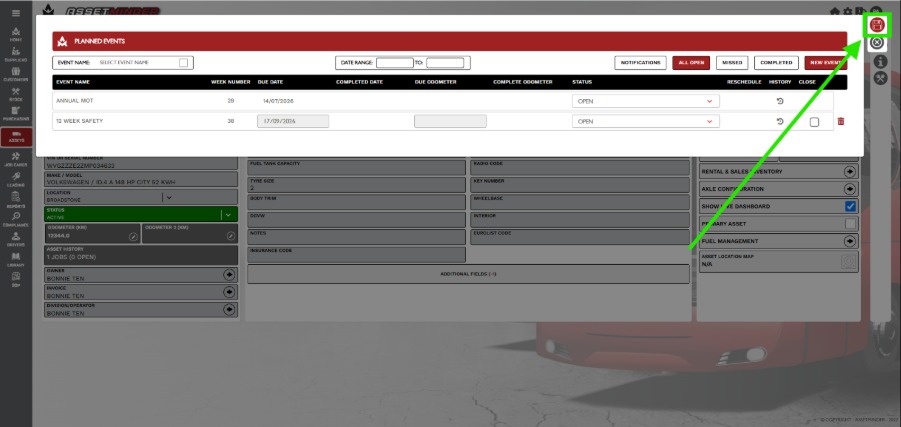
6. Click Save to close.
Paul Murray
Comments