To add a planned event to an asset, you must ensure you have planned events set up in the configuration part of Assetminder. See Create a planned event.
Note: It is important to ensure your customer (usually used if external) has an email address recorded in the customer record. This will allow notifications to remind customers of upcoming events and missed events.
PROCEDURE
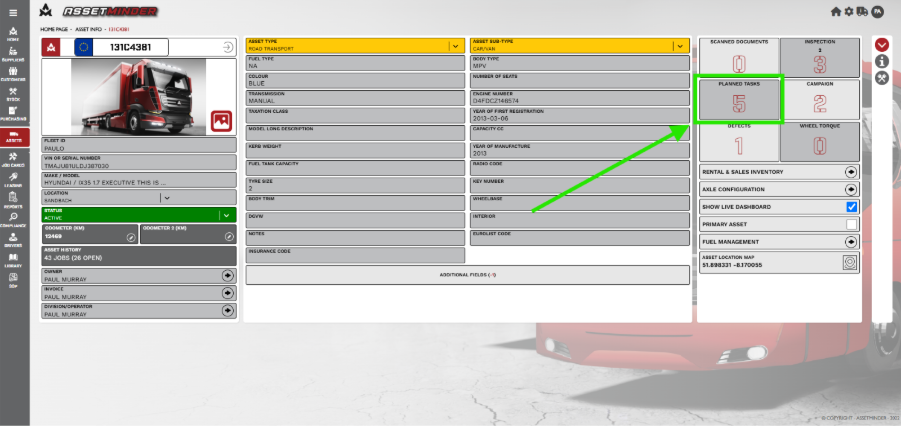
1.Open the asset record and click on planned tasks.
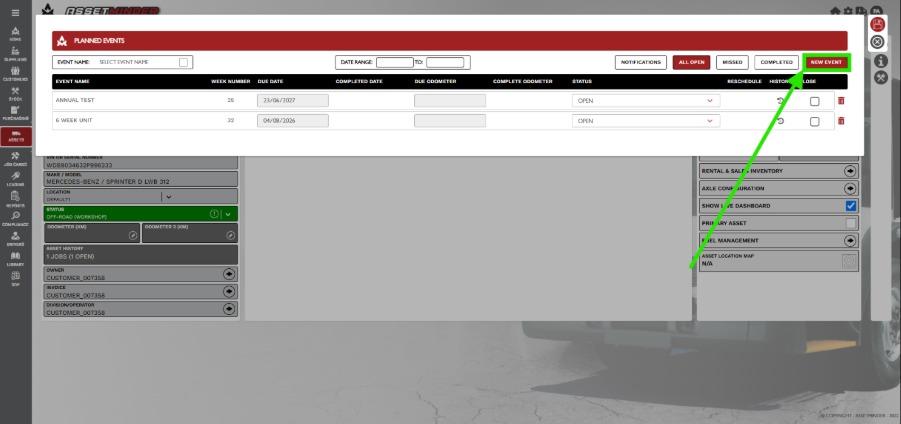
2. Select New event
3. Select the planned event types from the dropdown list.
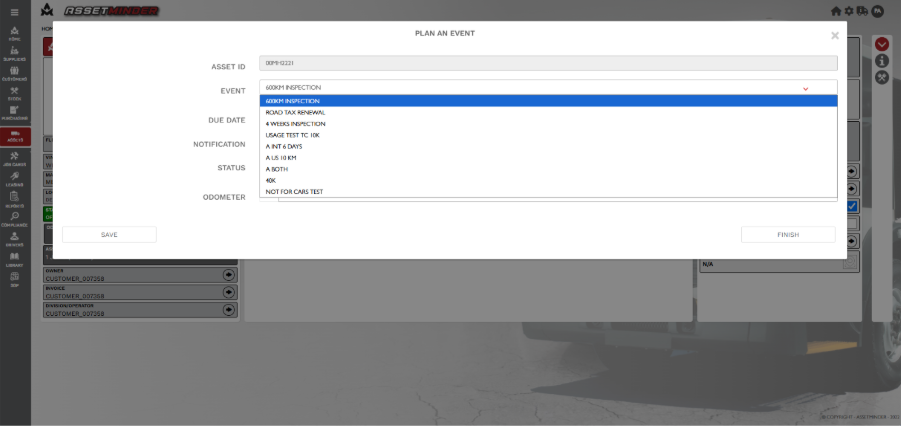
4. Select the due date and enter the correct emails for notification. Then SAVE.
NOTE – The email address will be pre-populated. This can be deleted, as well as other email addresses added if required.
5. The asset will now have an additional Planned task.
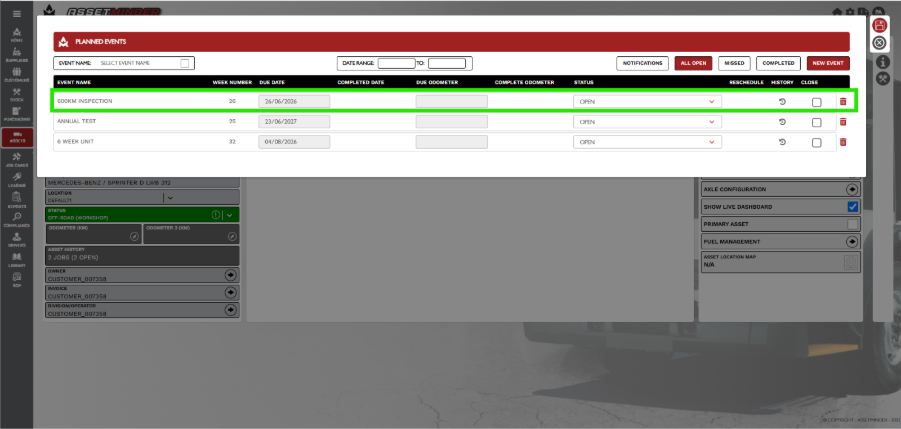
6. Click on planned tasks to open the Planned events. The new event will appear in the ALL OPEN section.
Paul Murray
Comments