PROCEDURE
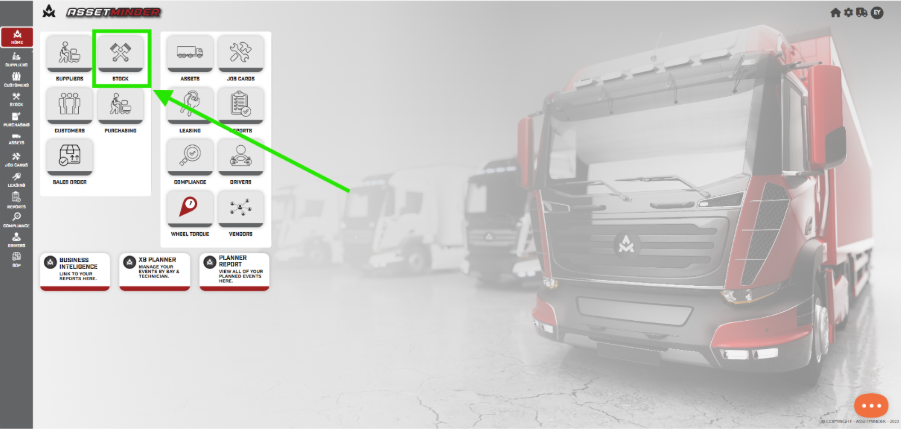
1. On the homepage, click Stock.
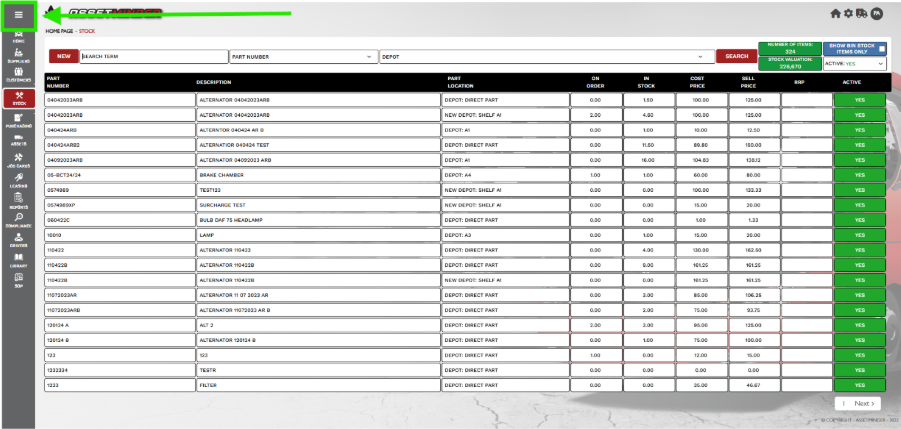
2. Click the Menu icon on the top left-hand side of the screen.
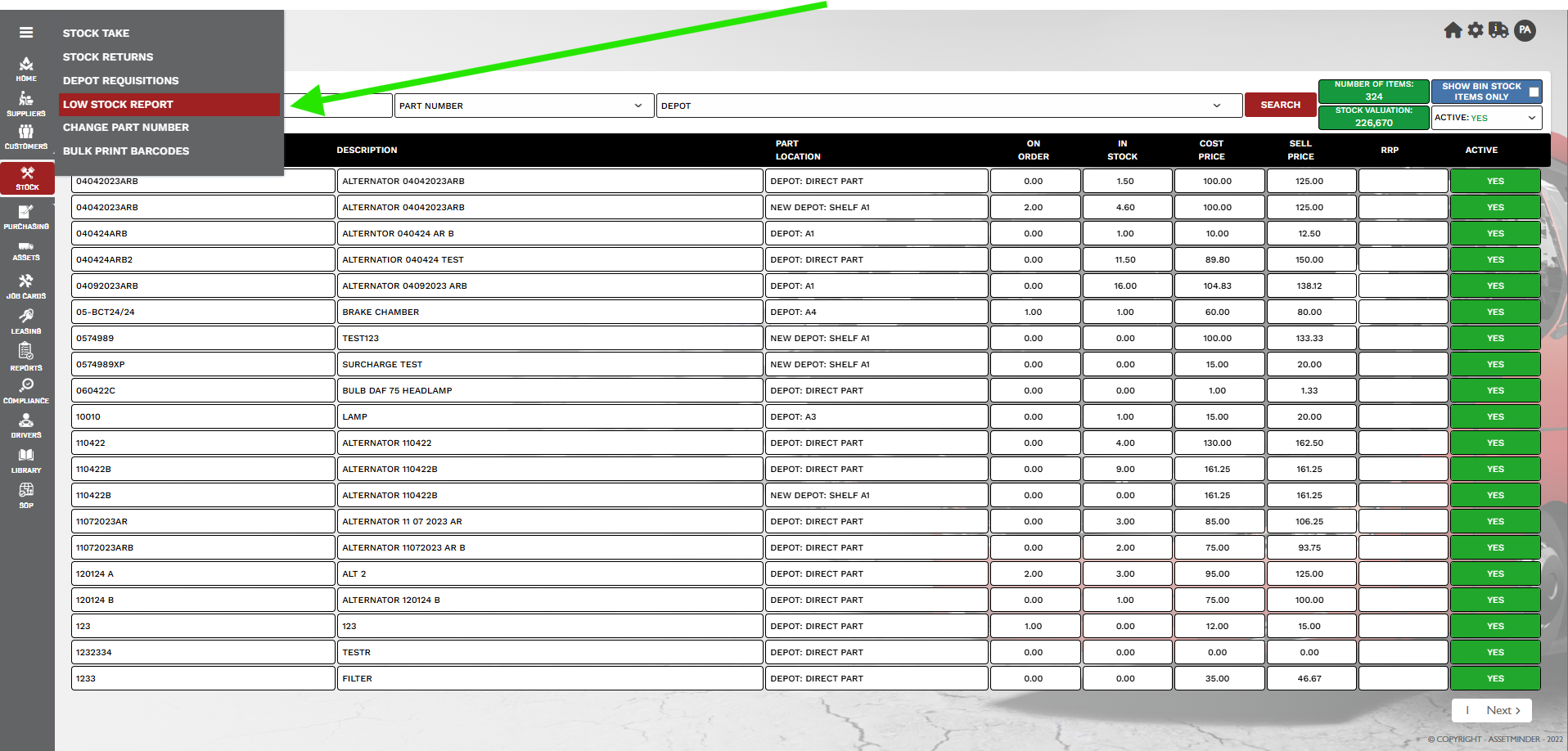
3. Click Low Reports Stock.
4. Choose the Depot location.
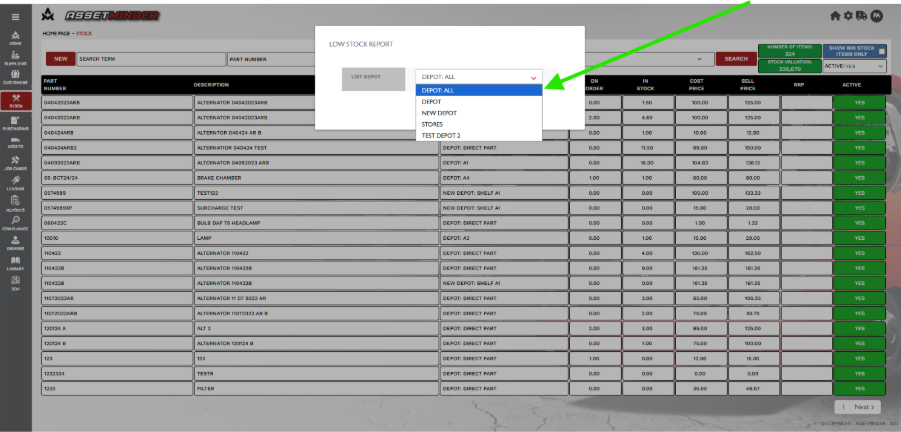
5. Click one of the Low Stock Report .
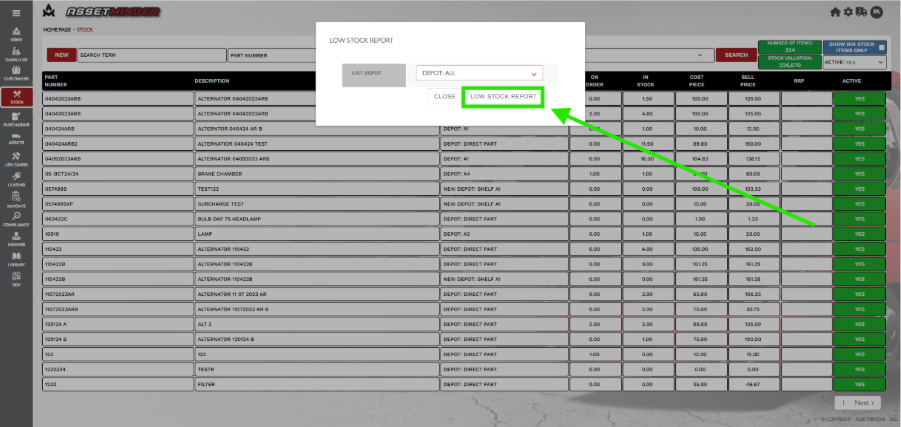
6. The report is generated and accessed through a pop-up window.
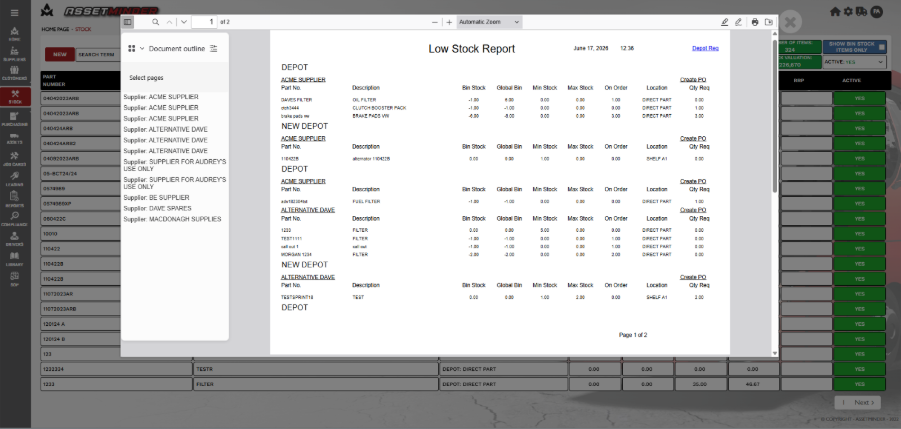
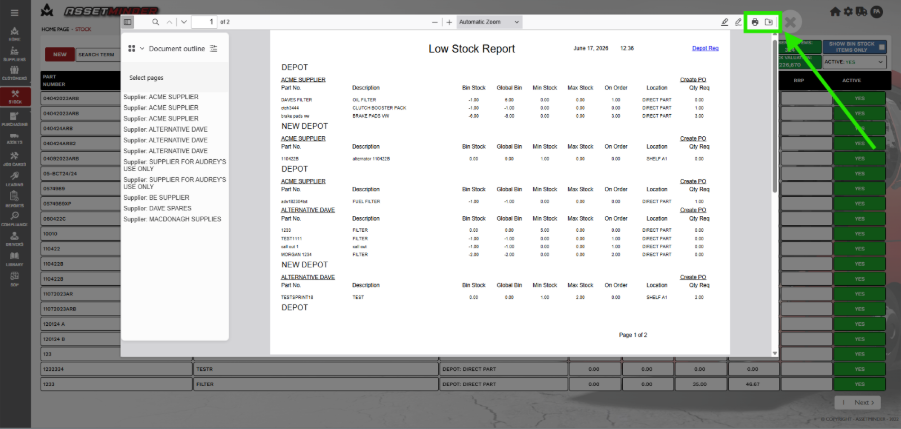
7. Each browser is different. On Chrome, click the icons on the top right-hand side to download or print.
8. Click on the X to exit.
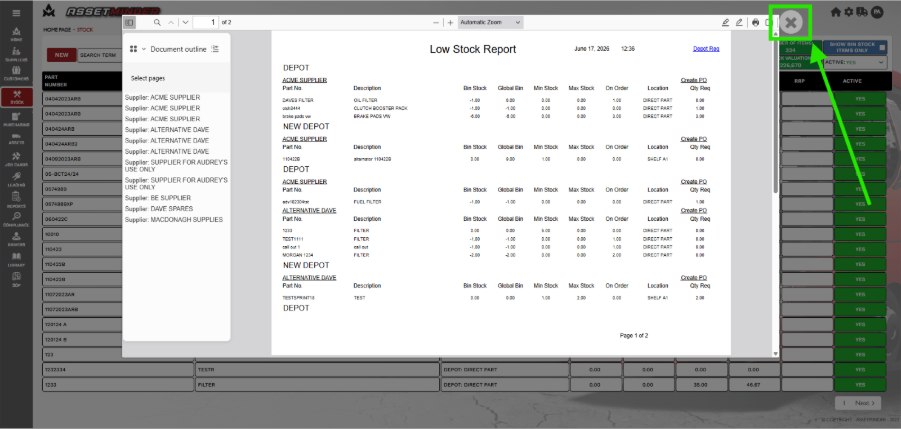
9. Click on close to exit. 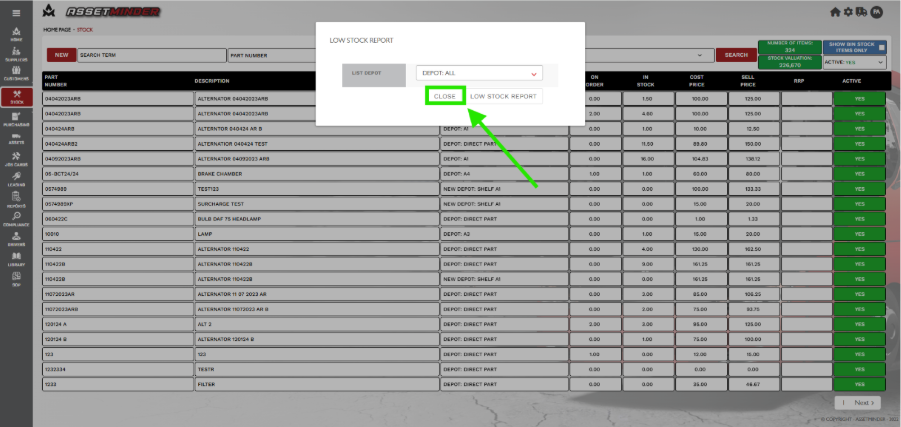
Paul Murray
Comments