Prerequisites before using this procedure:
- Create the asset record in Assetminder
- Create the time or time & meter-based planned event template
- Add a planned event to the asset
Procedure
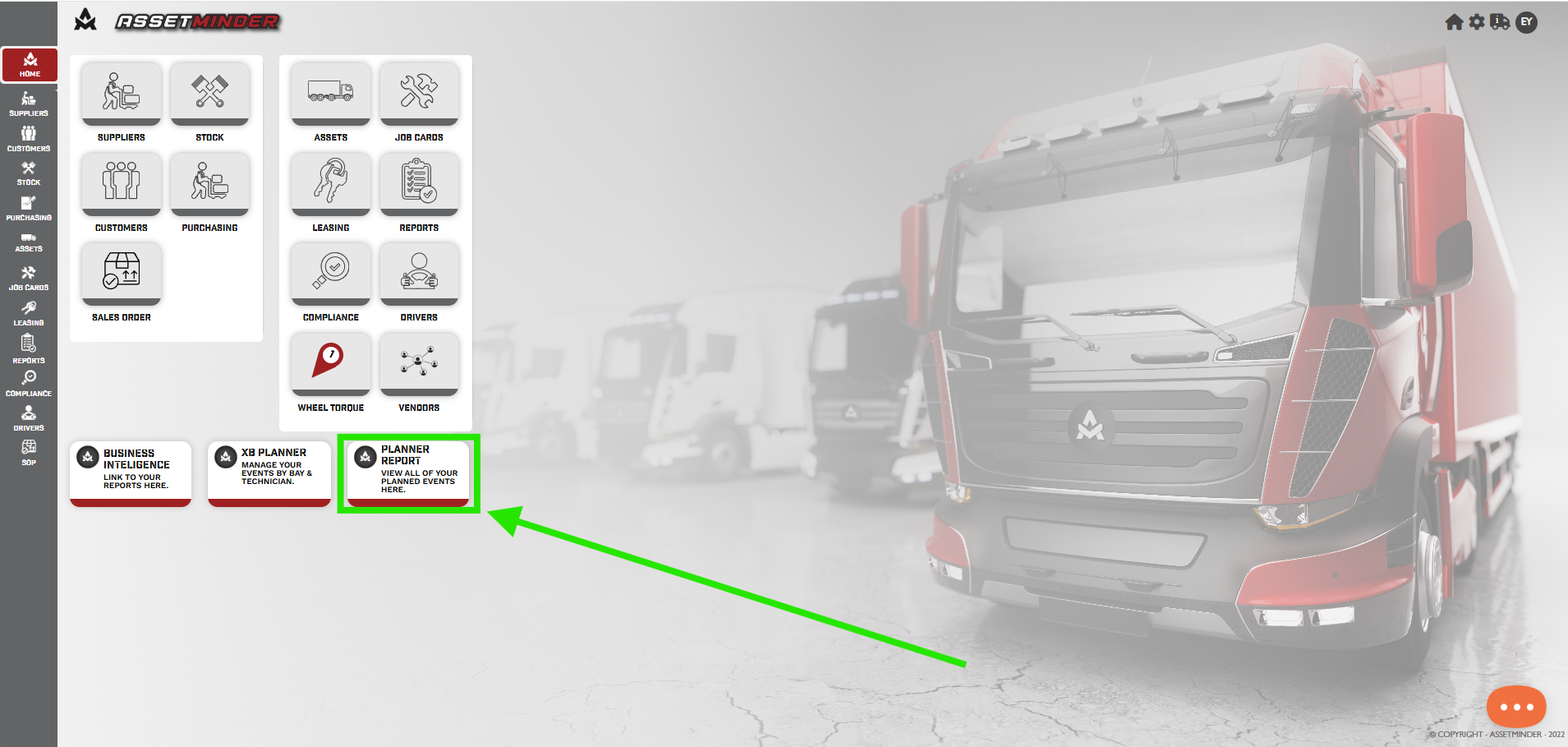
1 Click PLANNER REPORT on the home page.
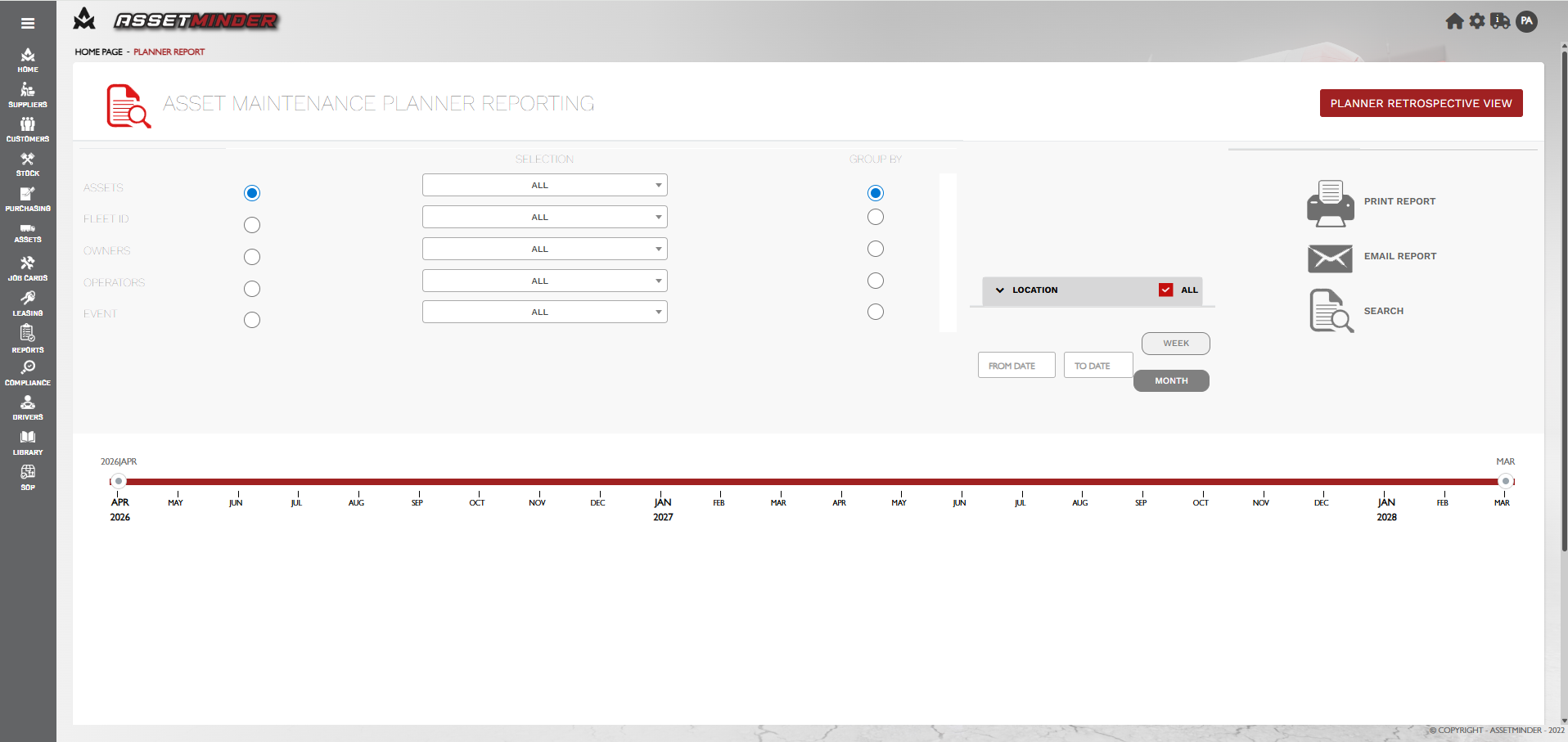
2. This will open the Asset Planned Maintenance Reporting.
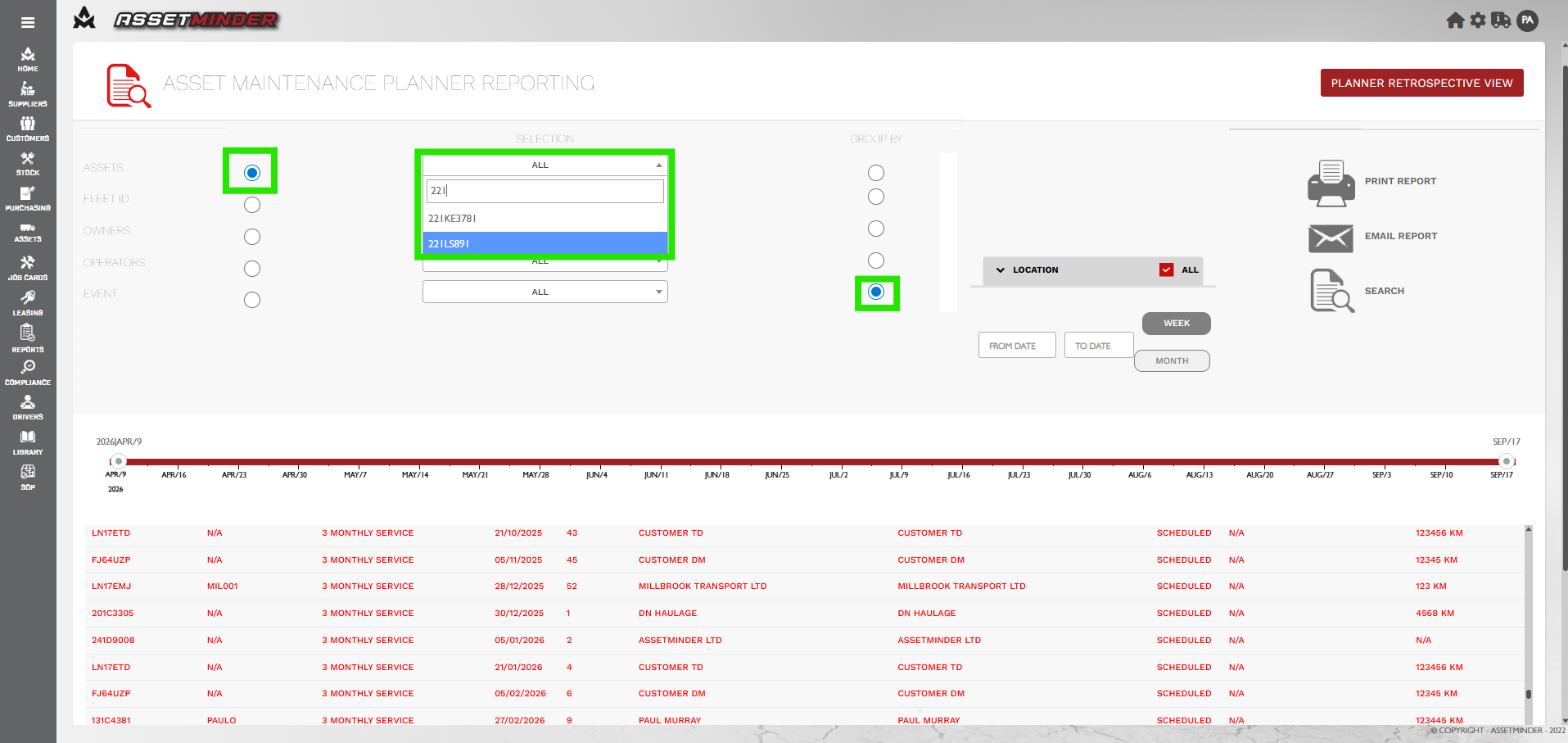
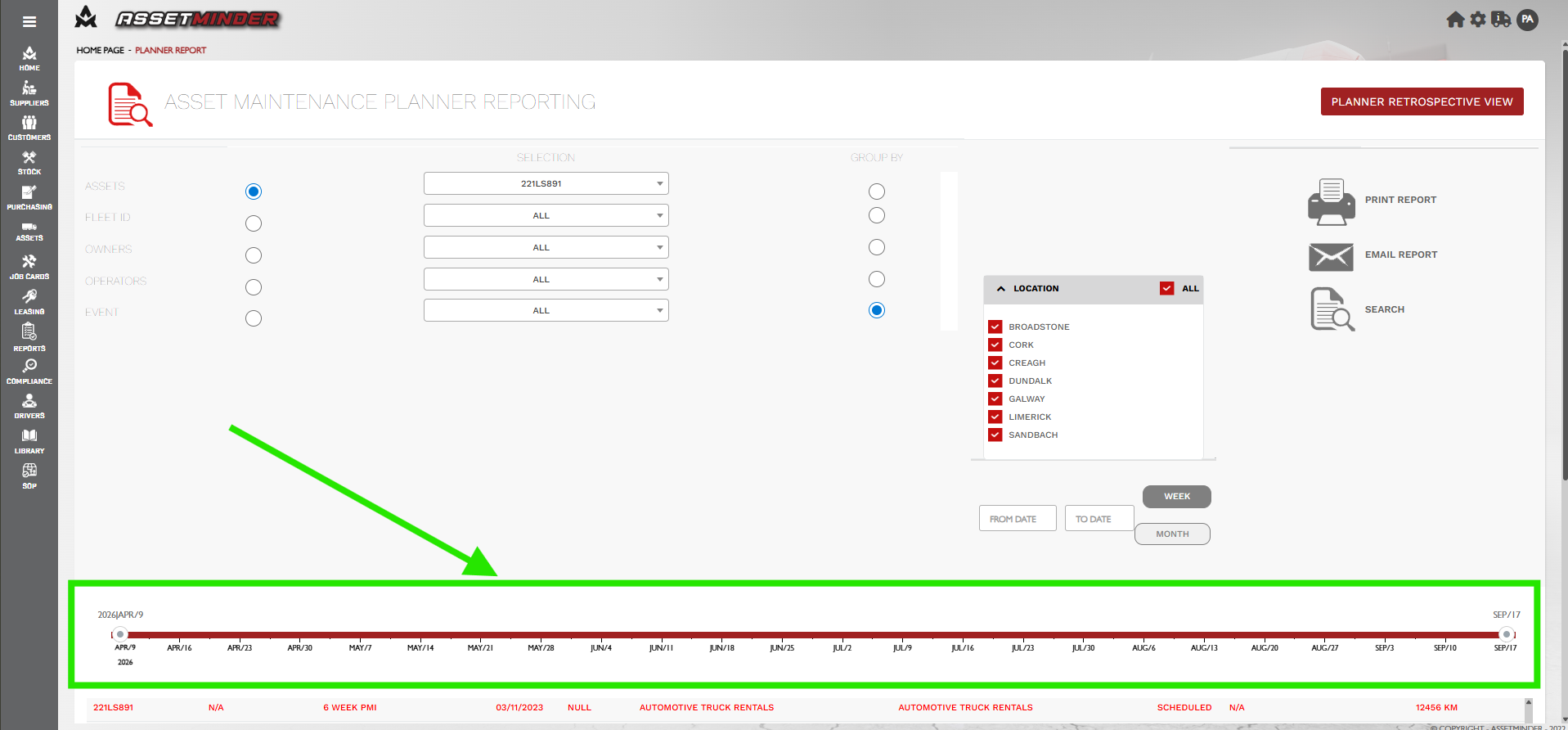
3. Select Asset. Enter the asset ID into the search bar and select the asset. In this case the assets will be grouped by EVENT. Click on event on the right hand side.
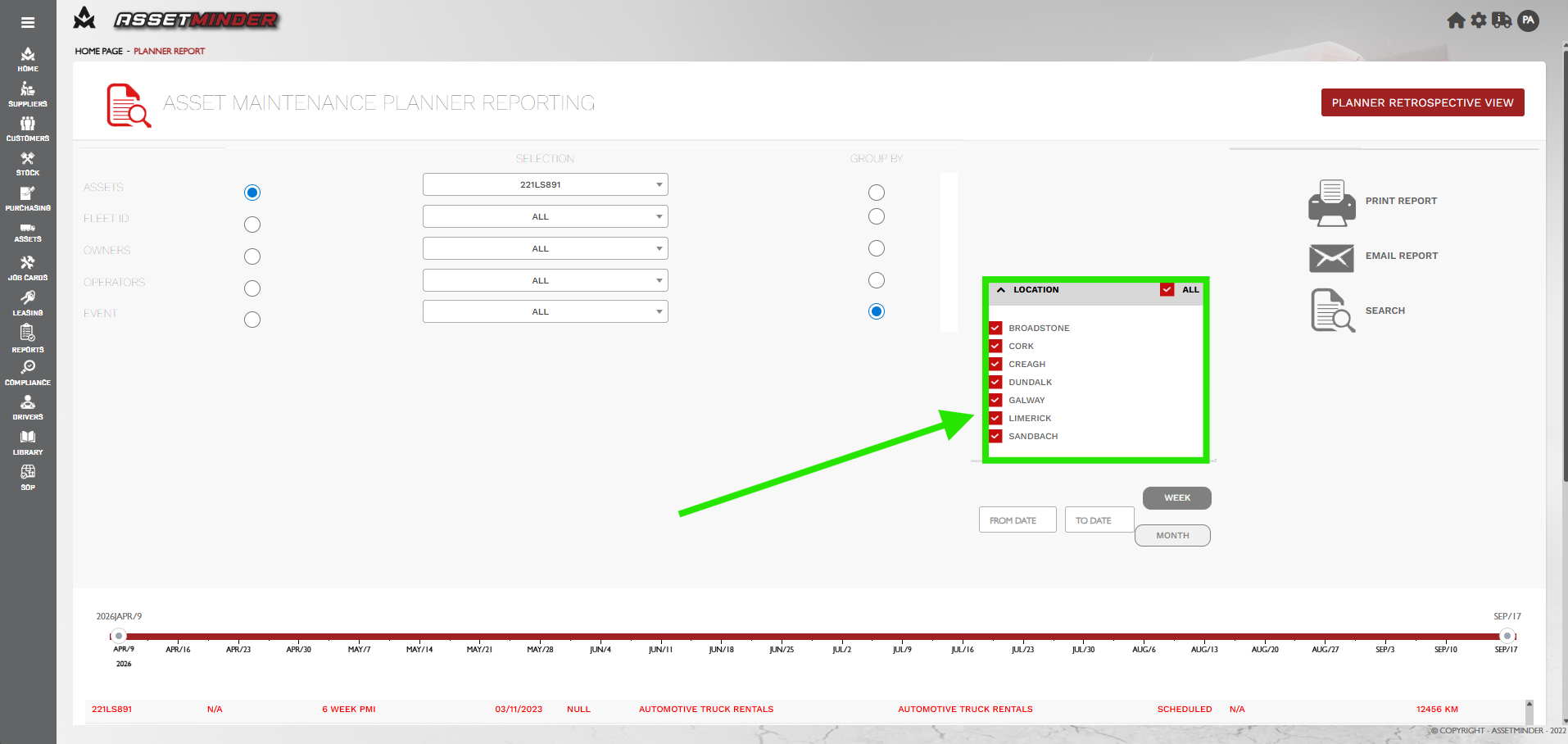
4. Location can be selected.
5. Select the date using the slider. The slider can be dragged to select data range.
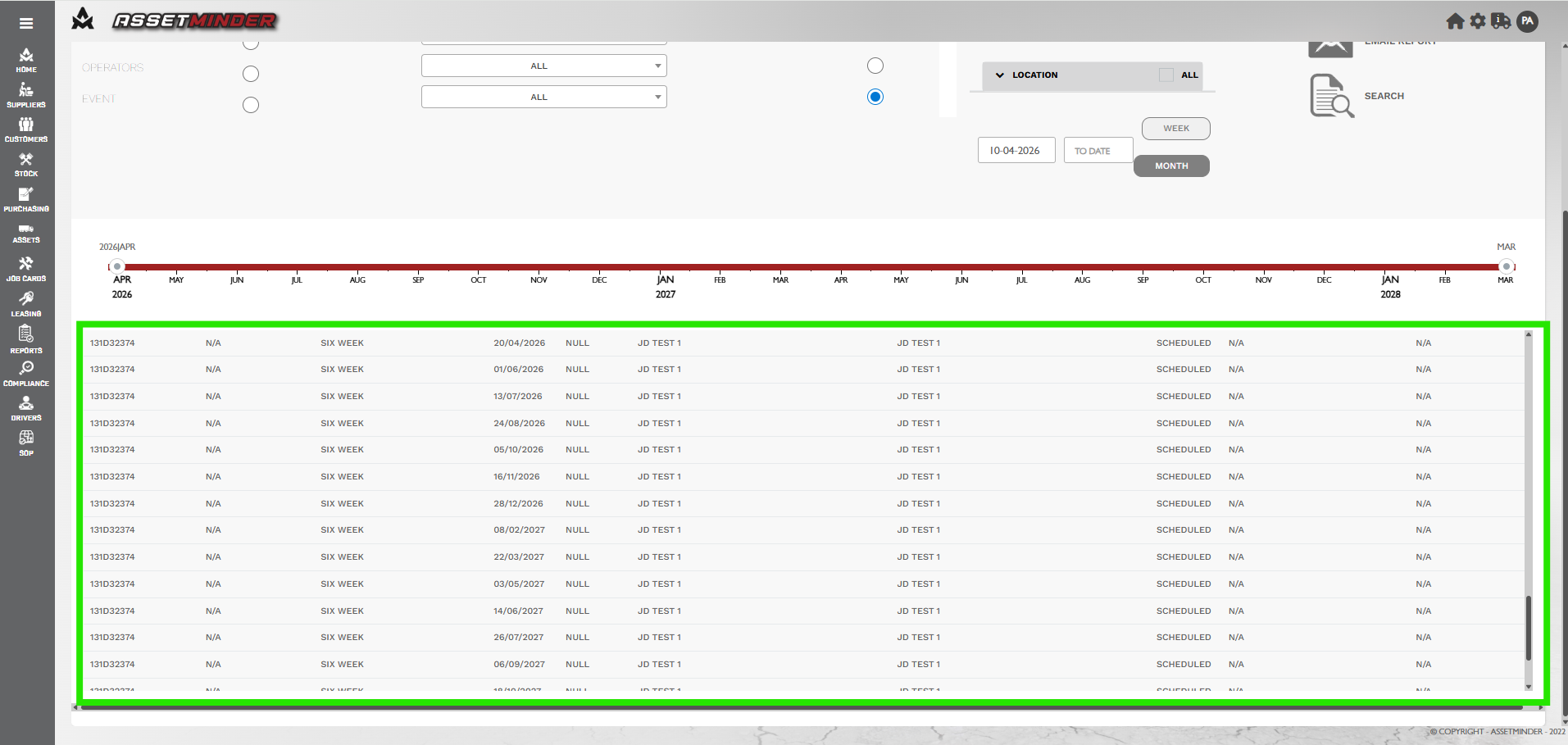
6. The list of planned events will be displayed.
7. Repeat as needed for all relevant assets.
Paul Murray
Comments