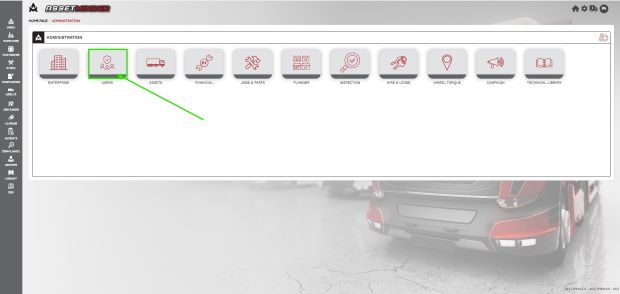
1. Click the Administrator Settings icon on the home screen

2. Select Users from the admin list
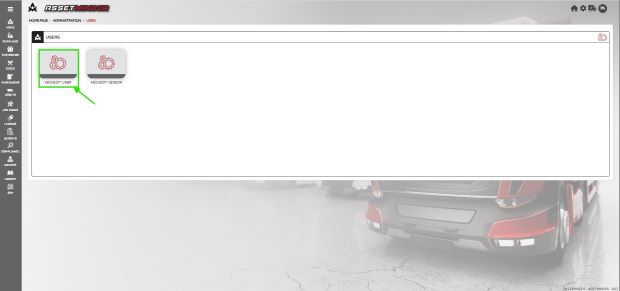
3. Click Add/ Edit User
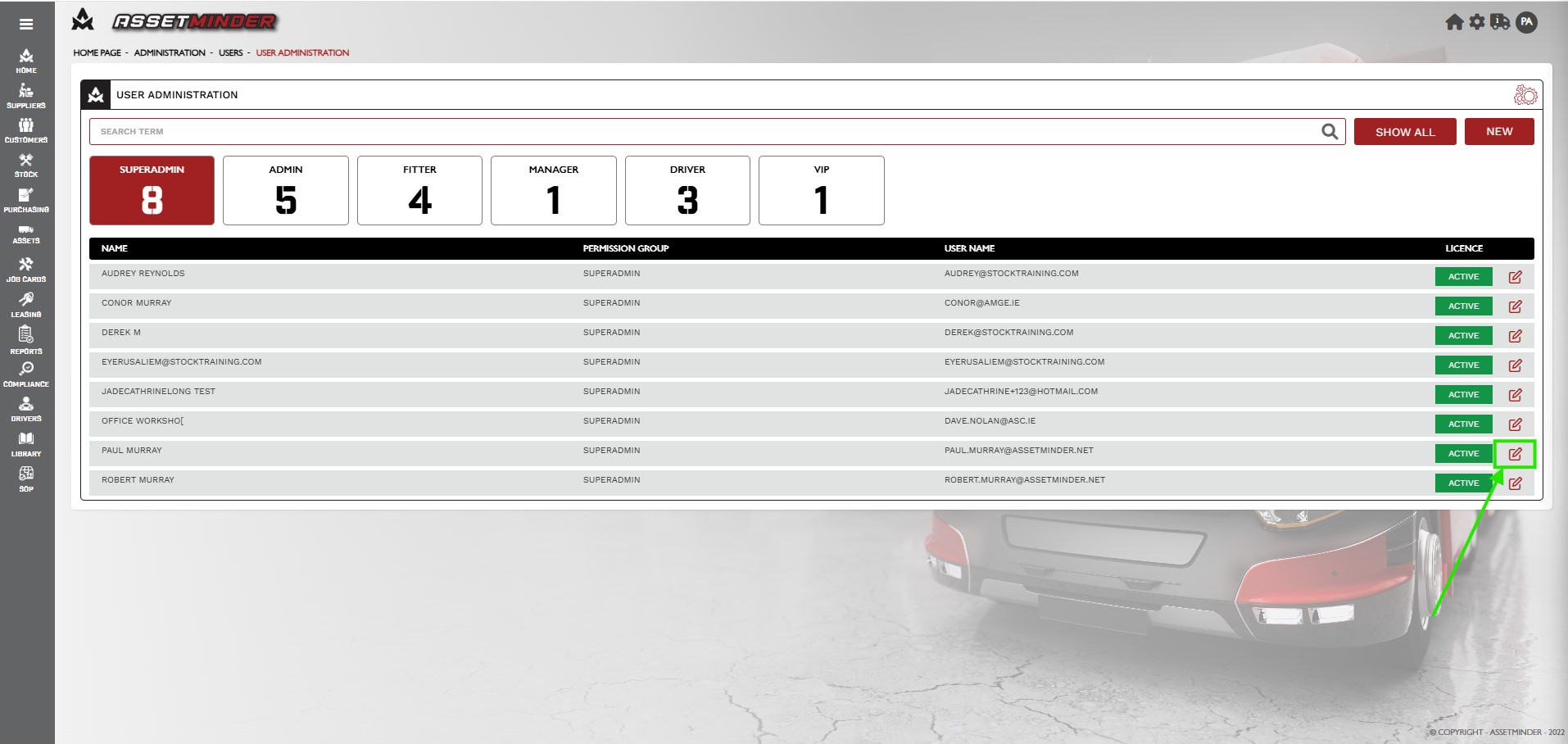
4. Type in the user name and Search, or click Show All to see all users. Click on edit to open user record.
5. Open the user record. Scroll down and check the Allow Inspection Approval checkbox.
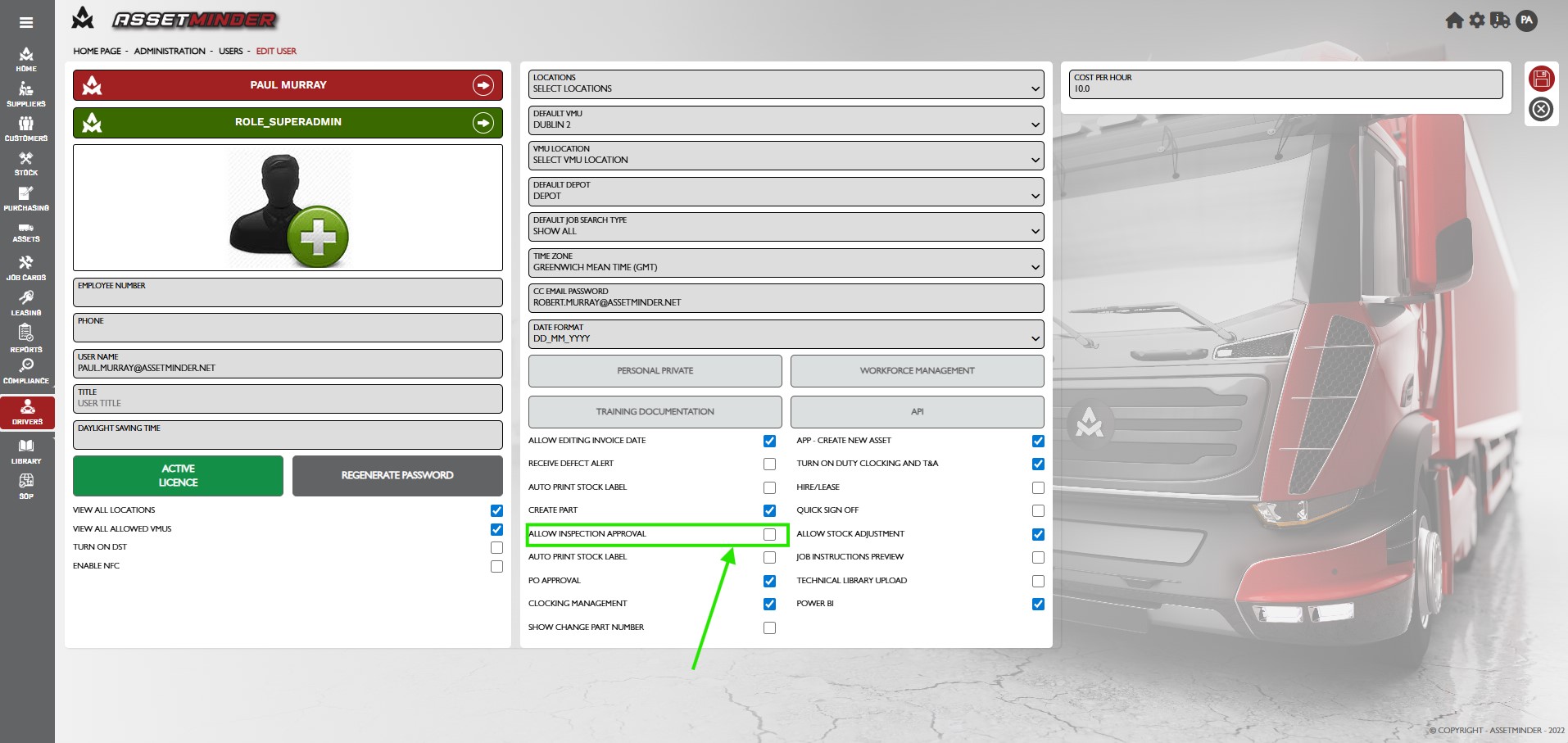
6. Click Save Changes.
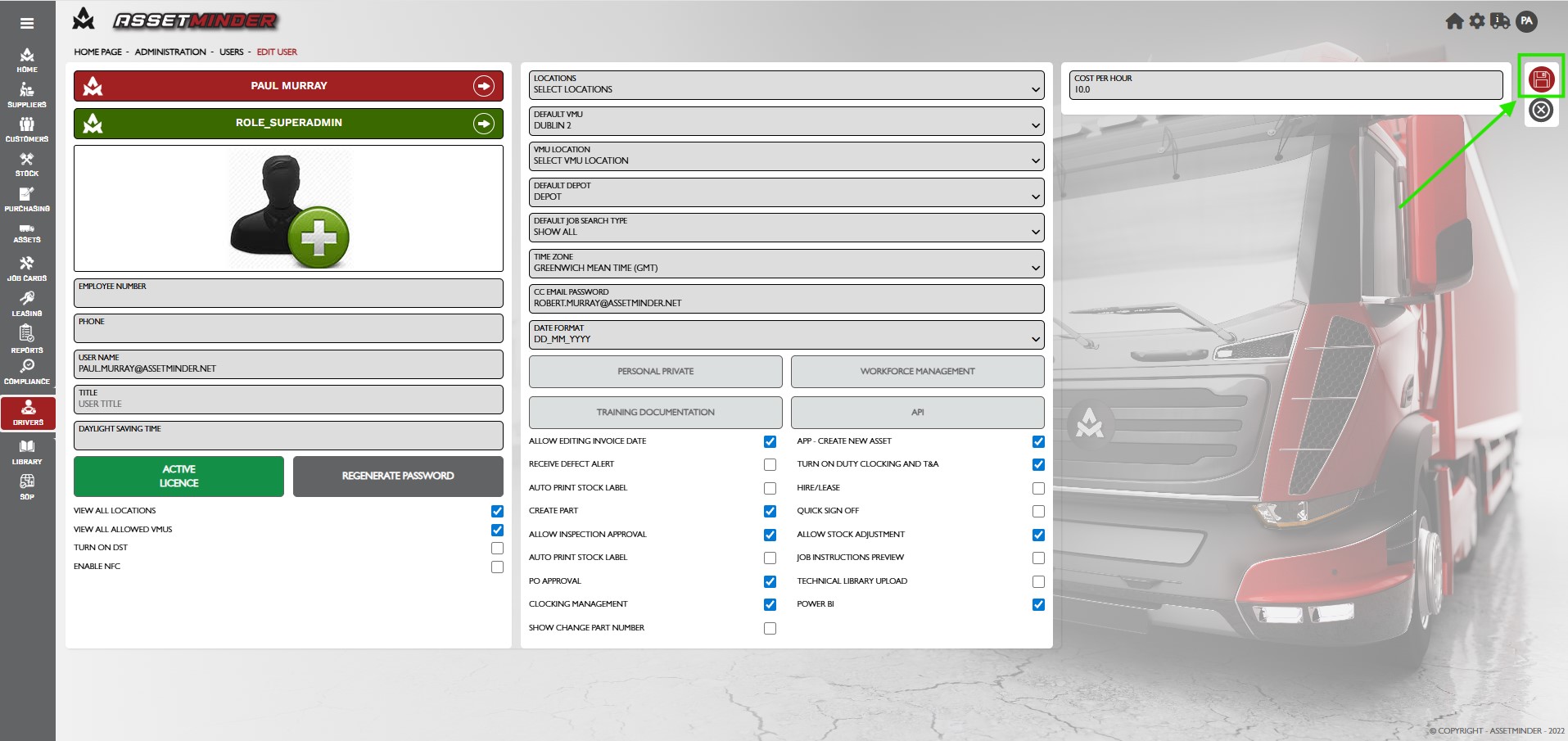
7. The user can now approve work done. Repeat as needed for other approvers.
Paul Murray
Comments