Background
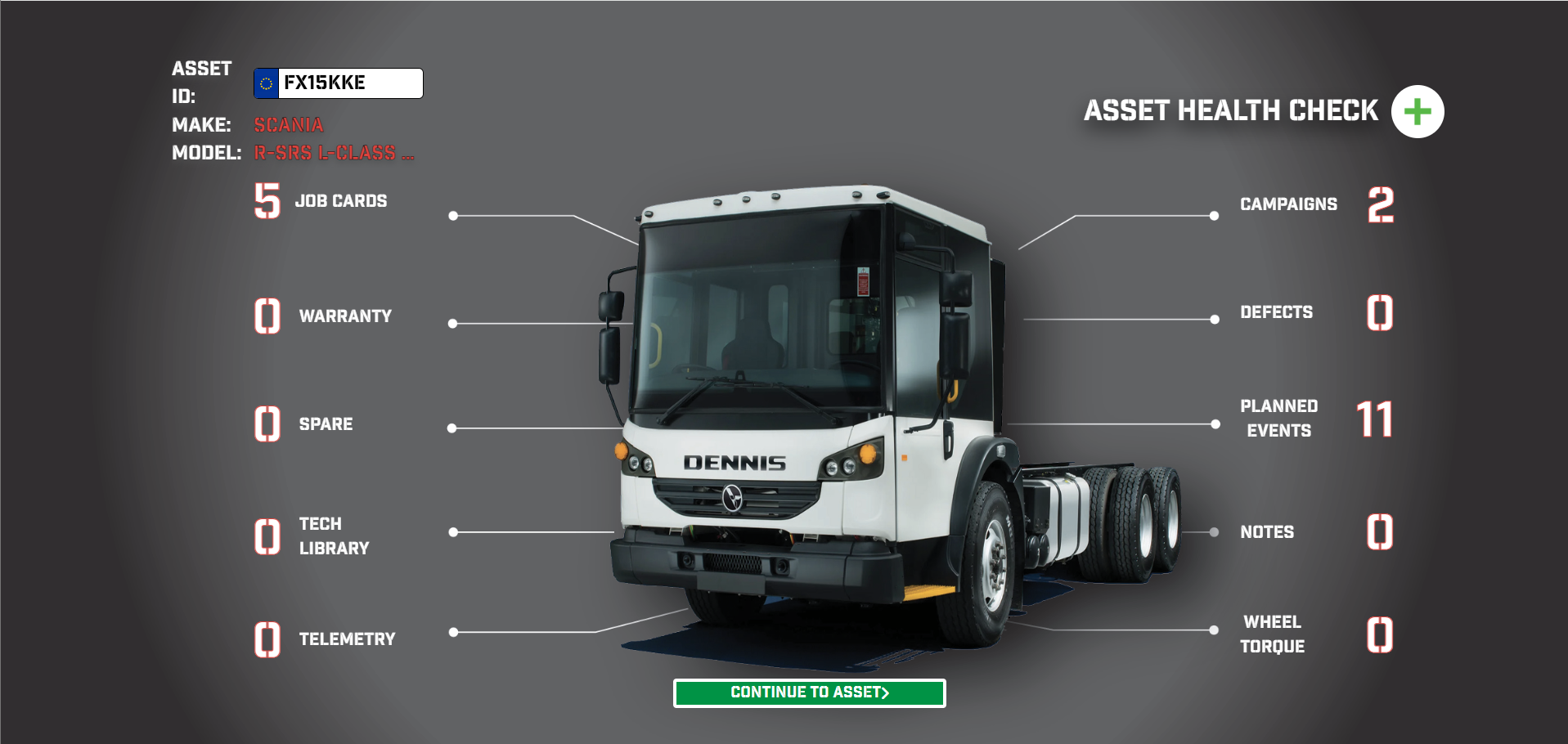
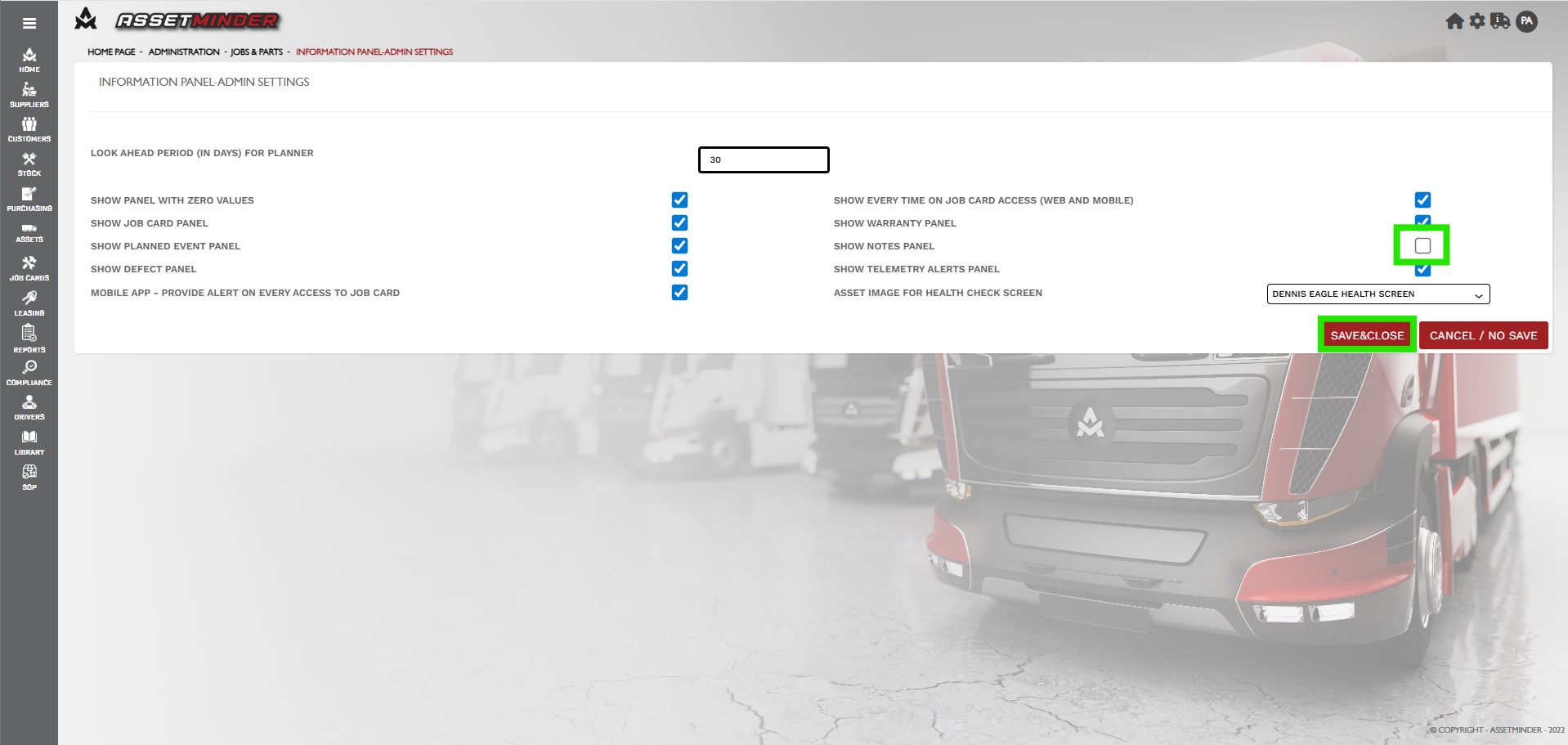
Information panel appear when opening certain pages on both the mobile and web app. It is possible to configure your panel by adding or removing widgets. Note that this panel has 10 widgets:
Procedure
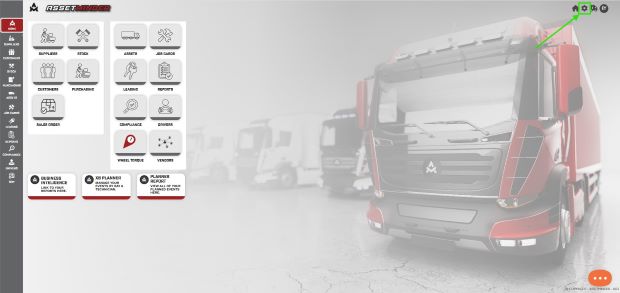
1. To turn on or off Widgets on the Information Panels, click the Administrator Settings icon on the home screen.
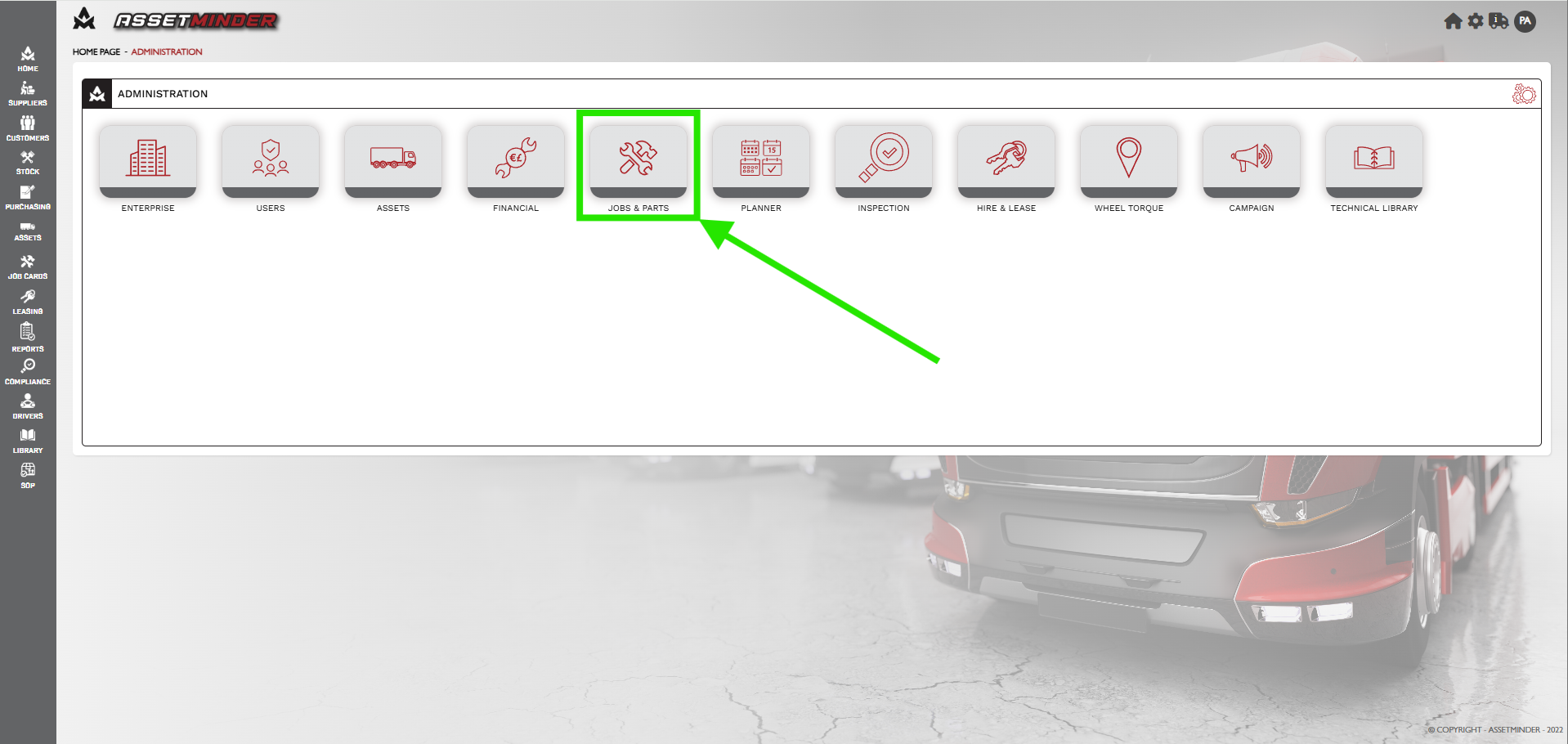
2. Click on Jobs & Parts.
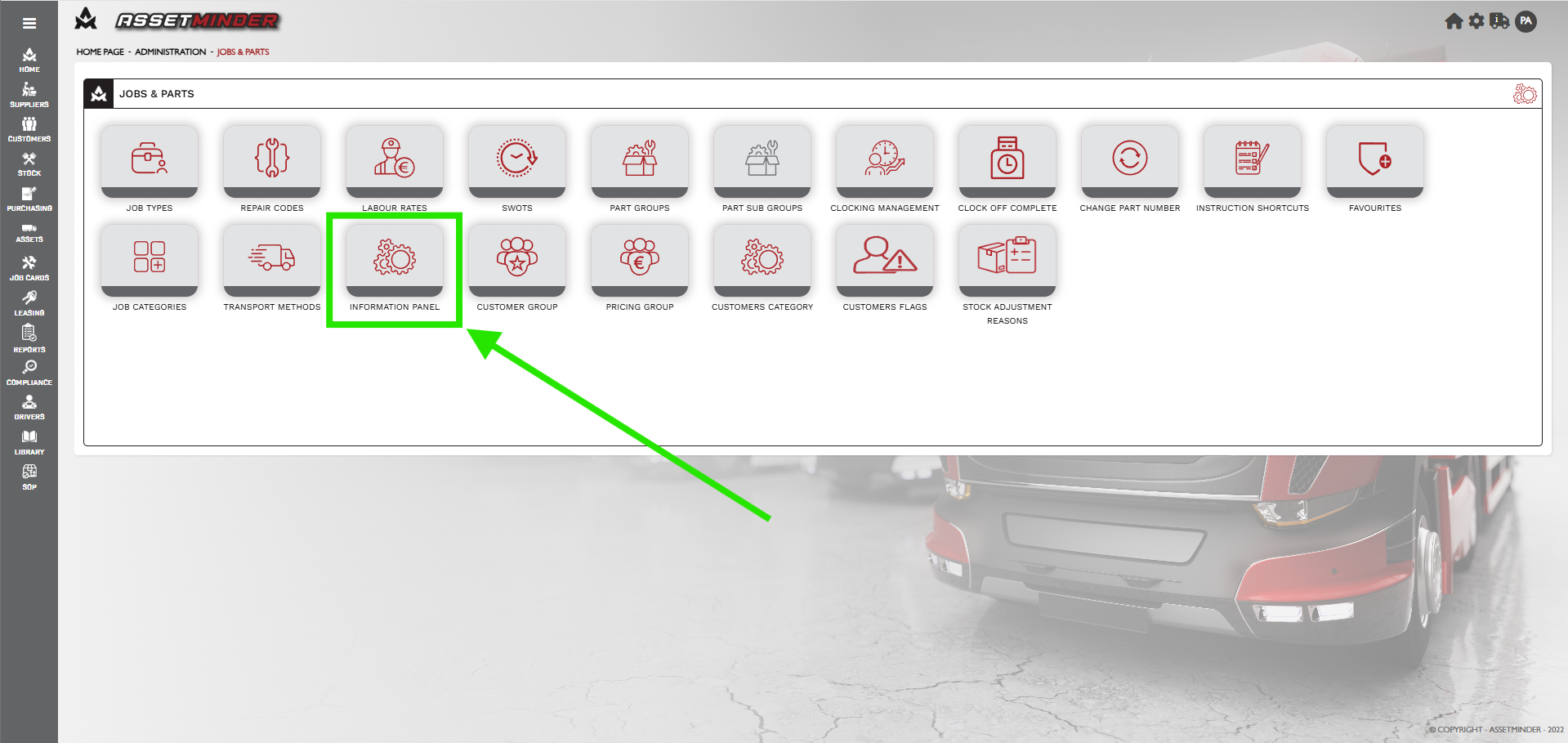
3. Click on Information Panel.
4. Select or deselect the checkboxes as needed. Note: the NOTES panel have been deselected. Click Save when done.
4. Check your work. Open an asset record and verify the changes to the information panel is correct.
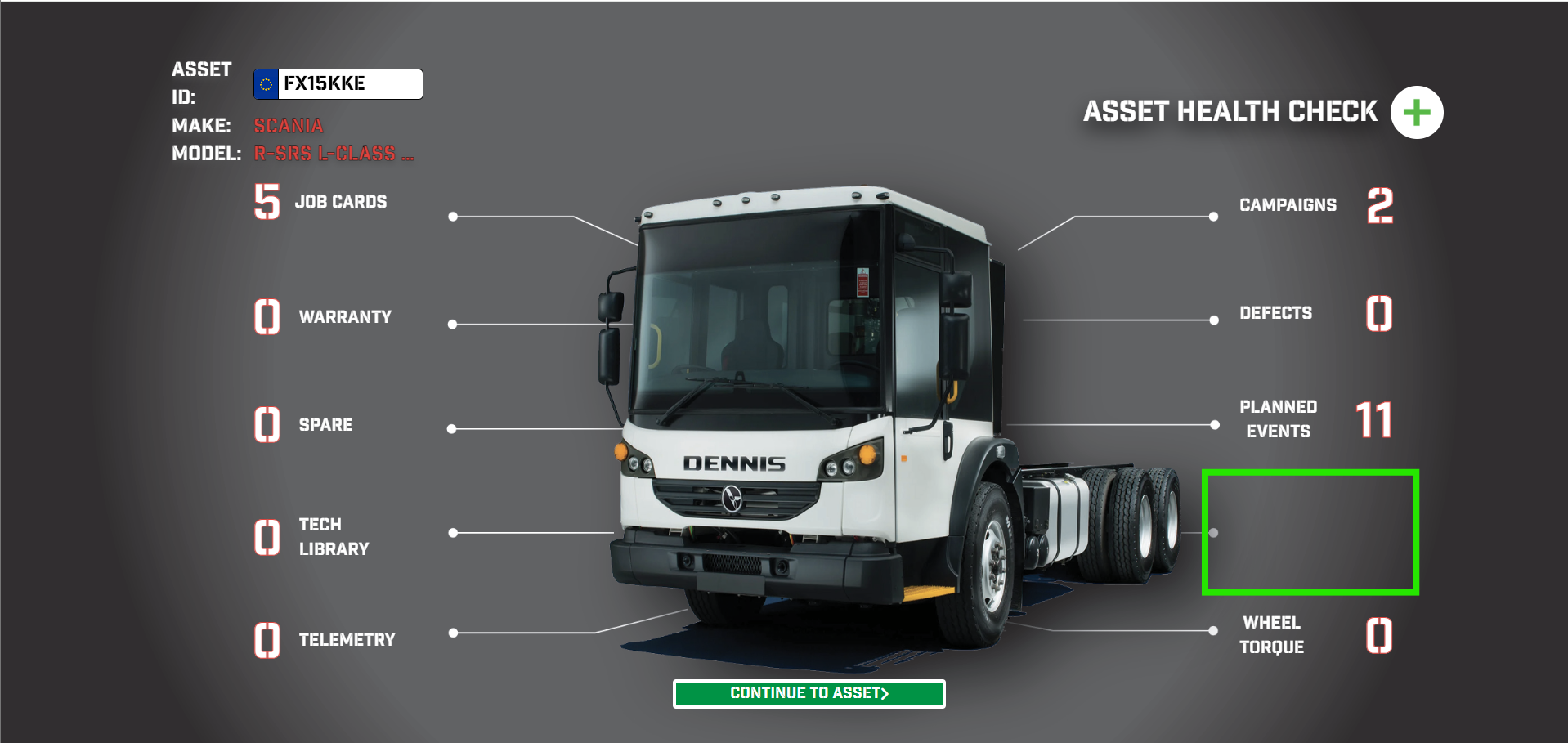
5. Adjust as needed
Conor Gibson
Comments