If stock needs to transferred from one Depot to another it can be done by Depot requisition.
PROCEDURE
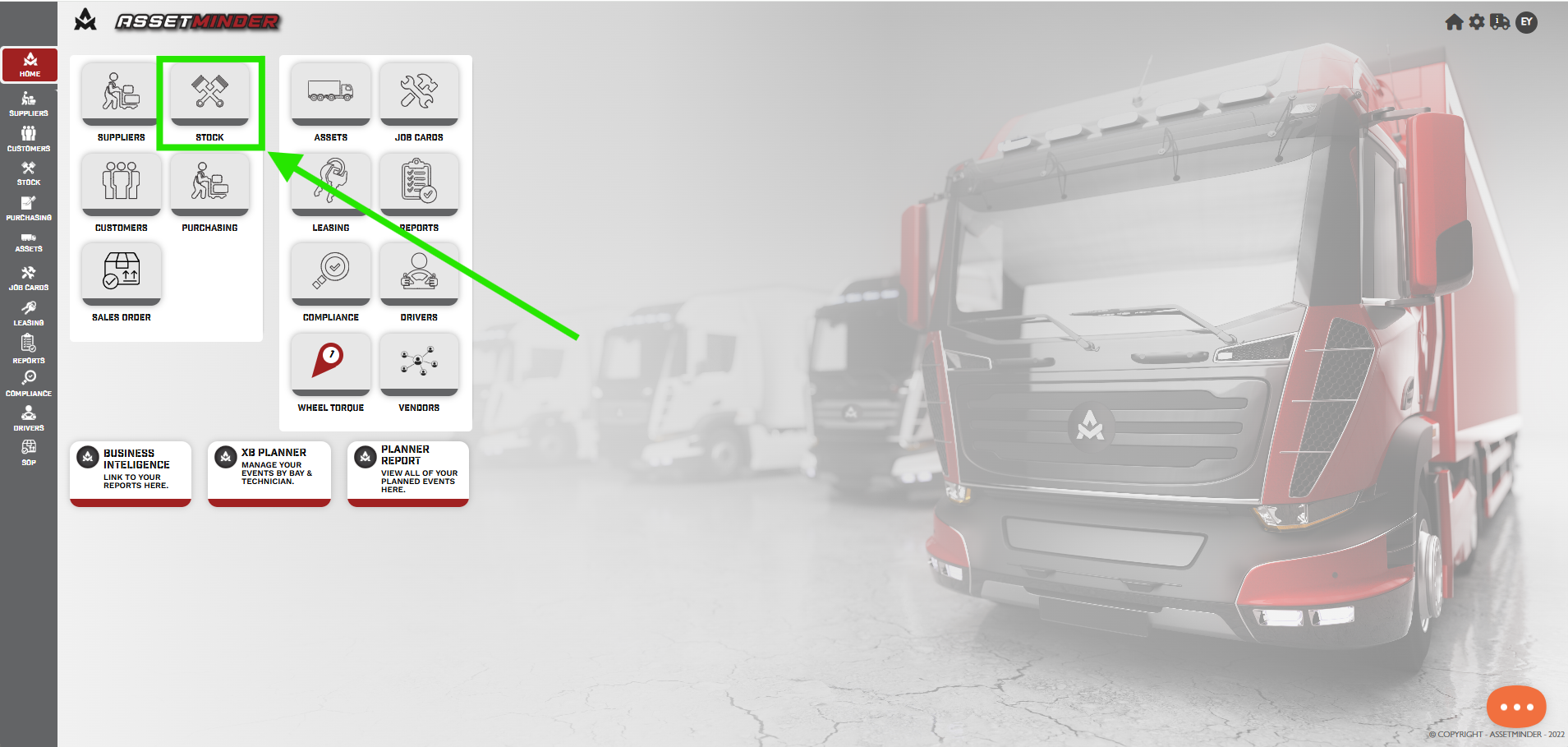
1. Click on Stock.
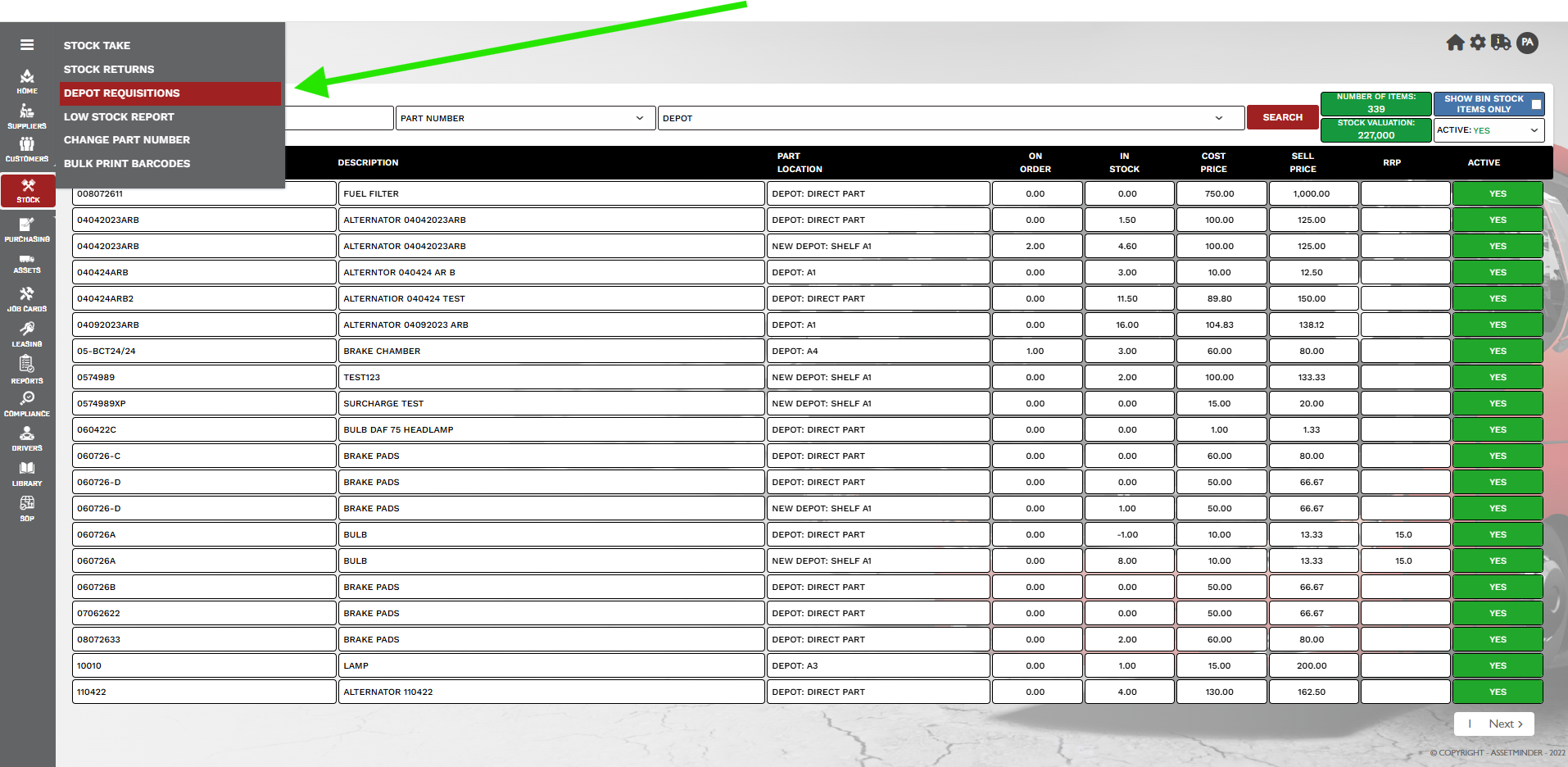
2. Click on the Burger menu and select DEPOT REQUISITION.
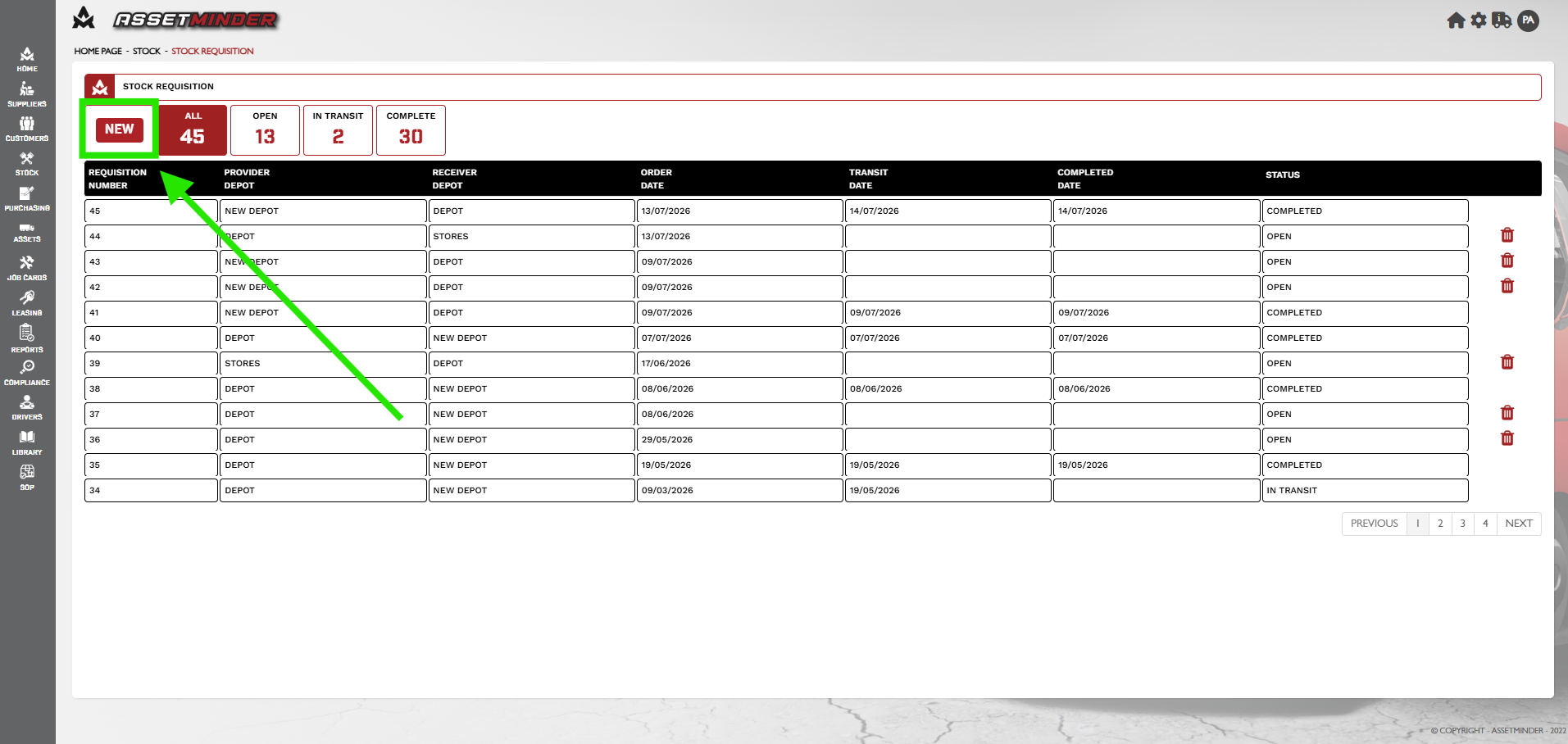
3. Click New
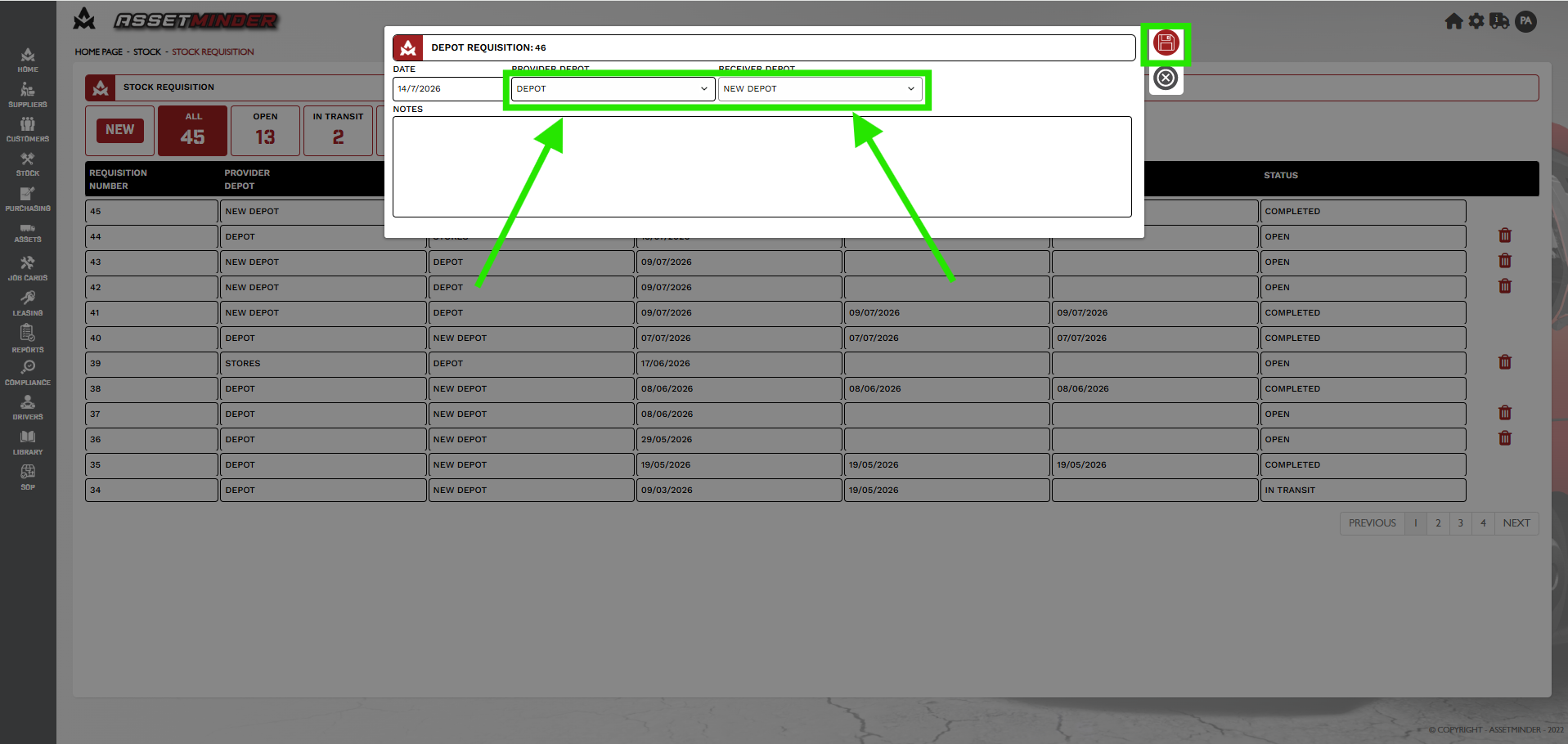
4. A dialogue box will open. Select the Provider Depot and Receiver Depot. Click Save.
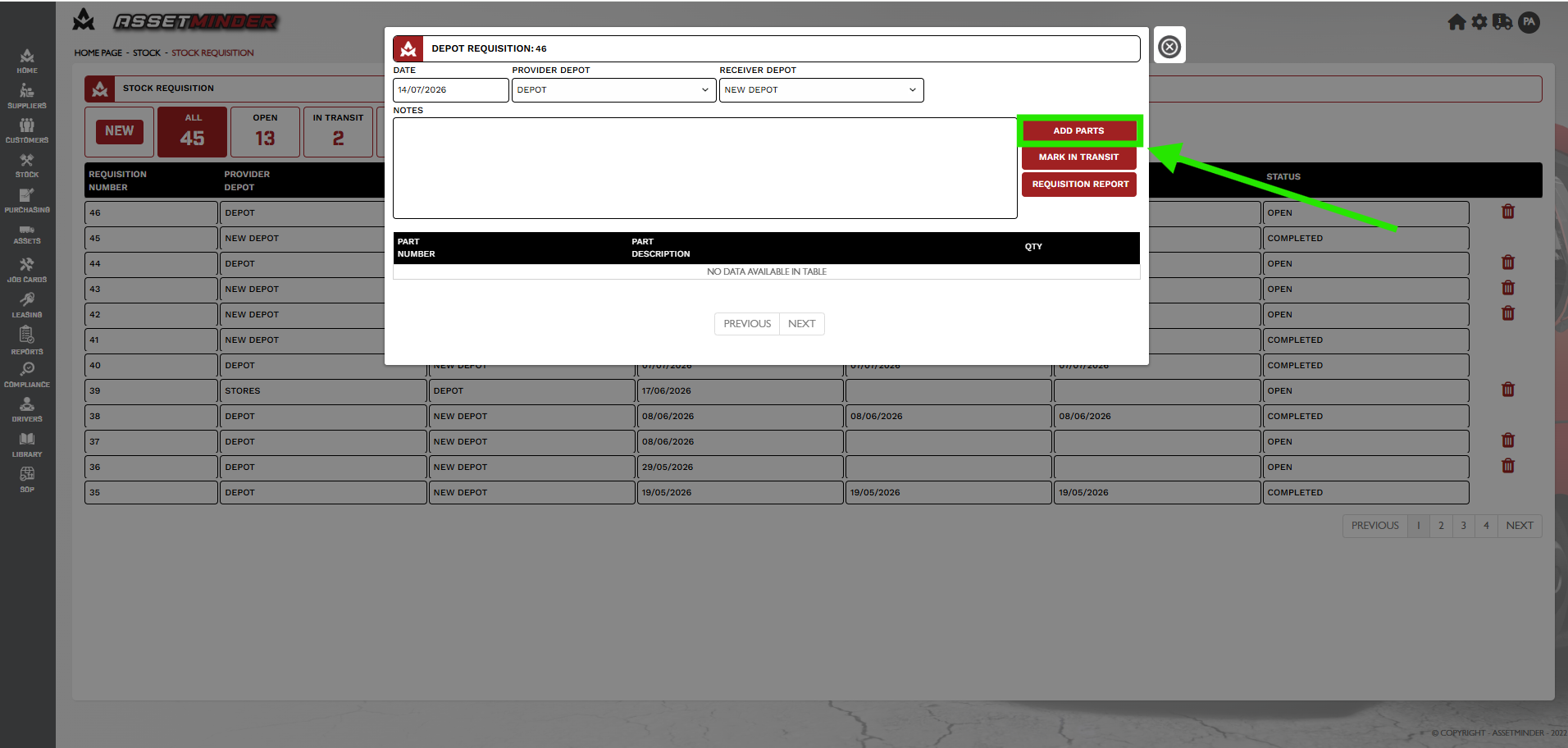
5. The dialogue box will update with the new Depot requisition number. Click ADD PARTS.
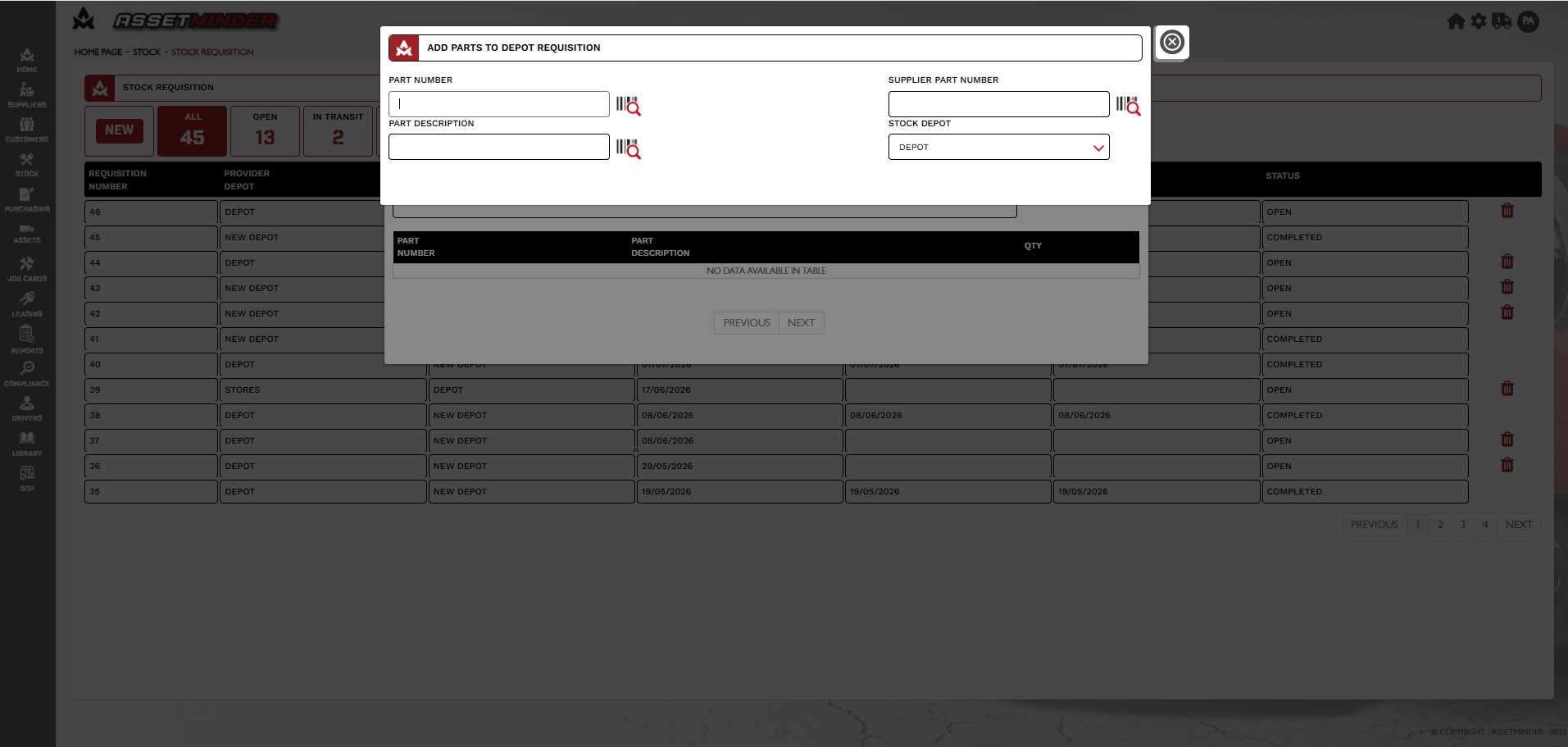
6. Search for you part by Part number, Part Description or Supplier Part Number.
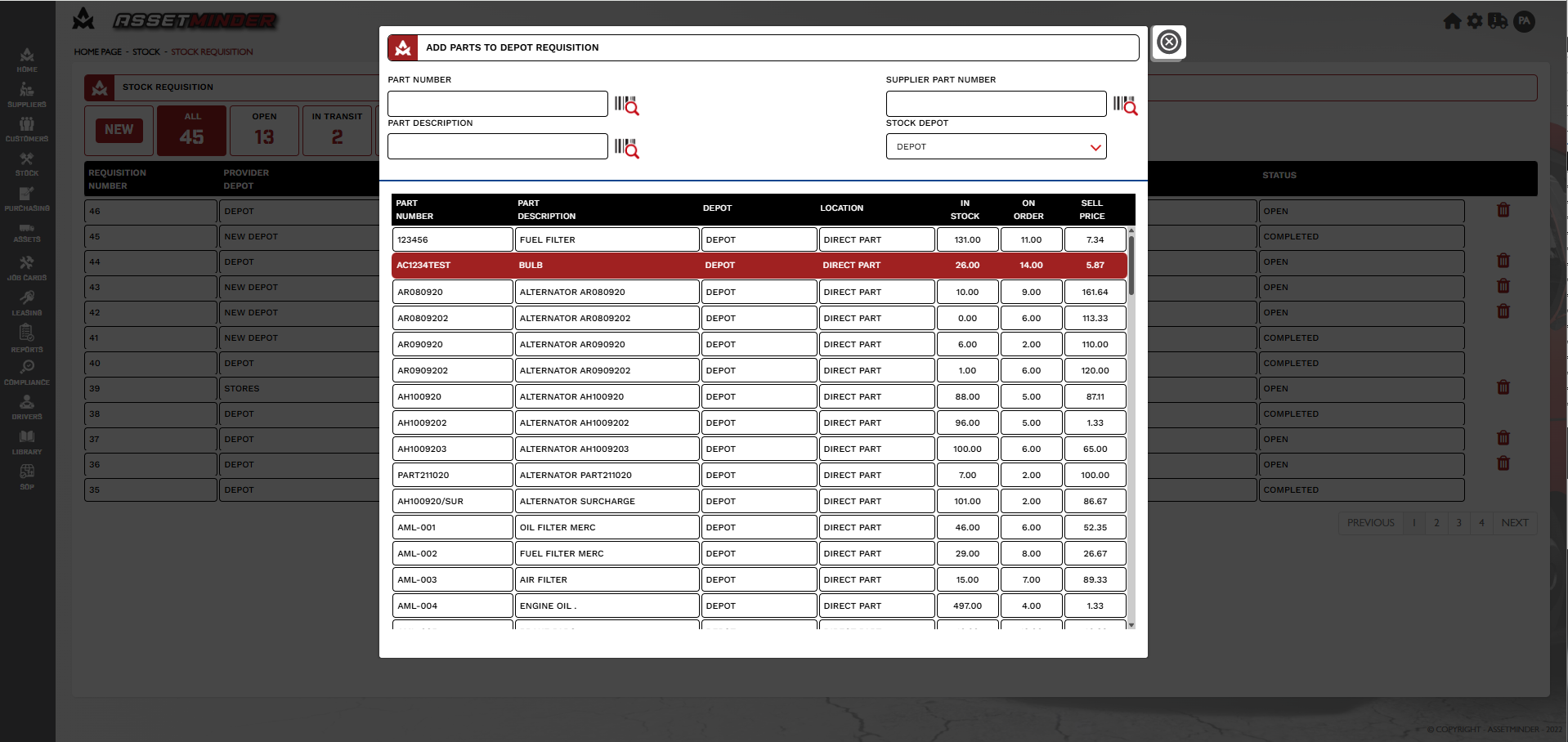
7. Click the part required. Note: Only parts in the Provider depot will appear.
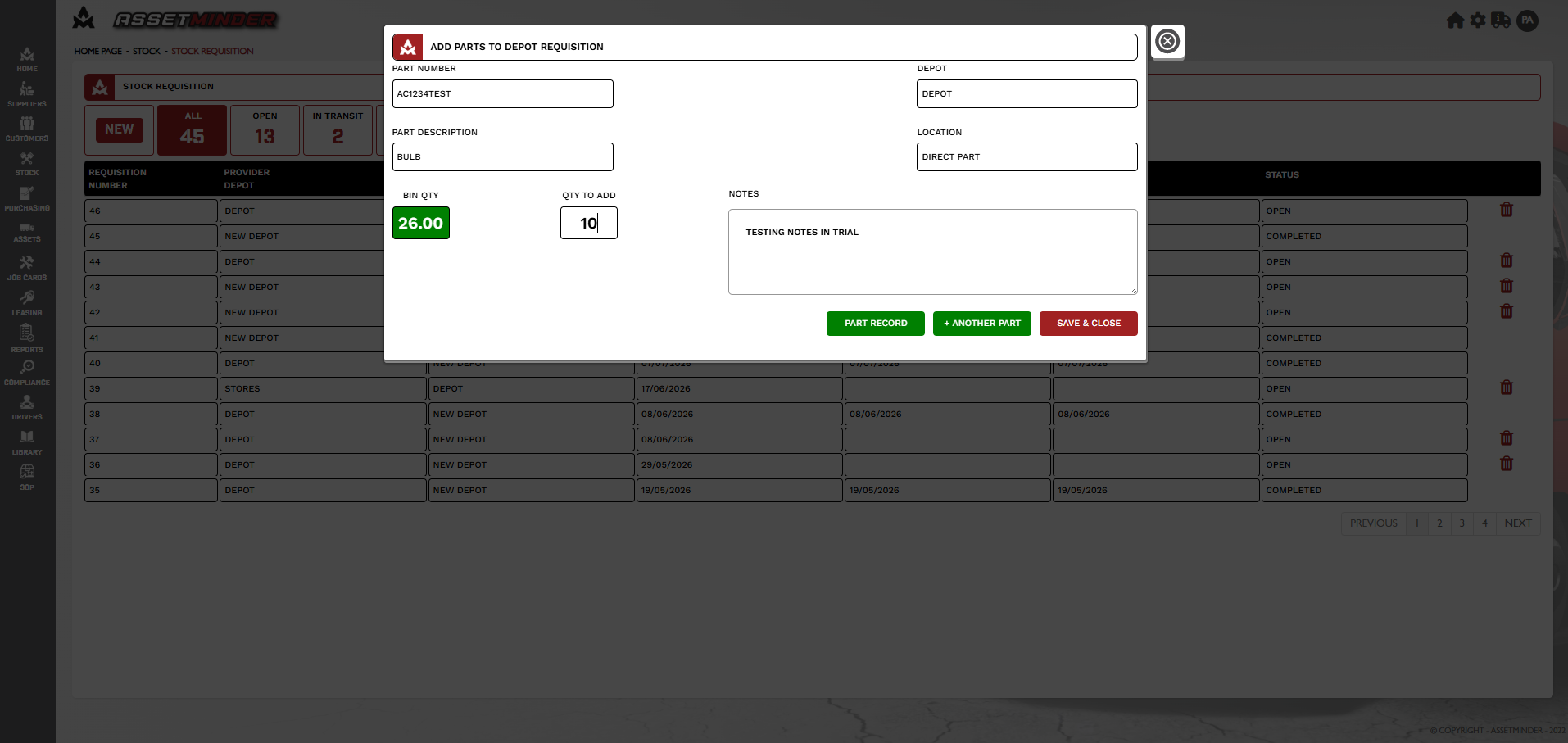
8. Enter the quantity to transfer. Additional parts can be added. Click SAVE & CLOSE when all parts have been selected.
9. Click MARK IN TRANSIT.
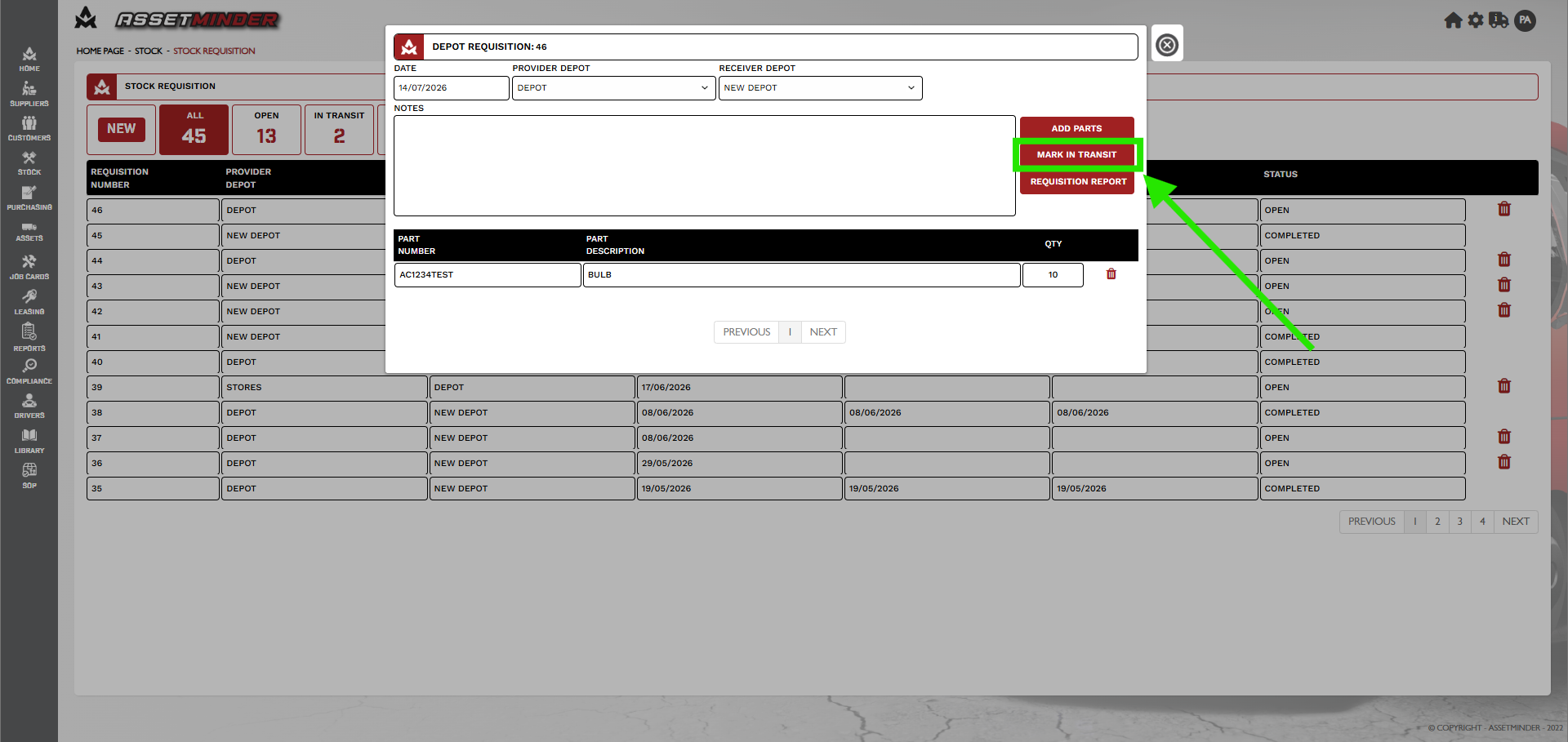
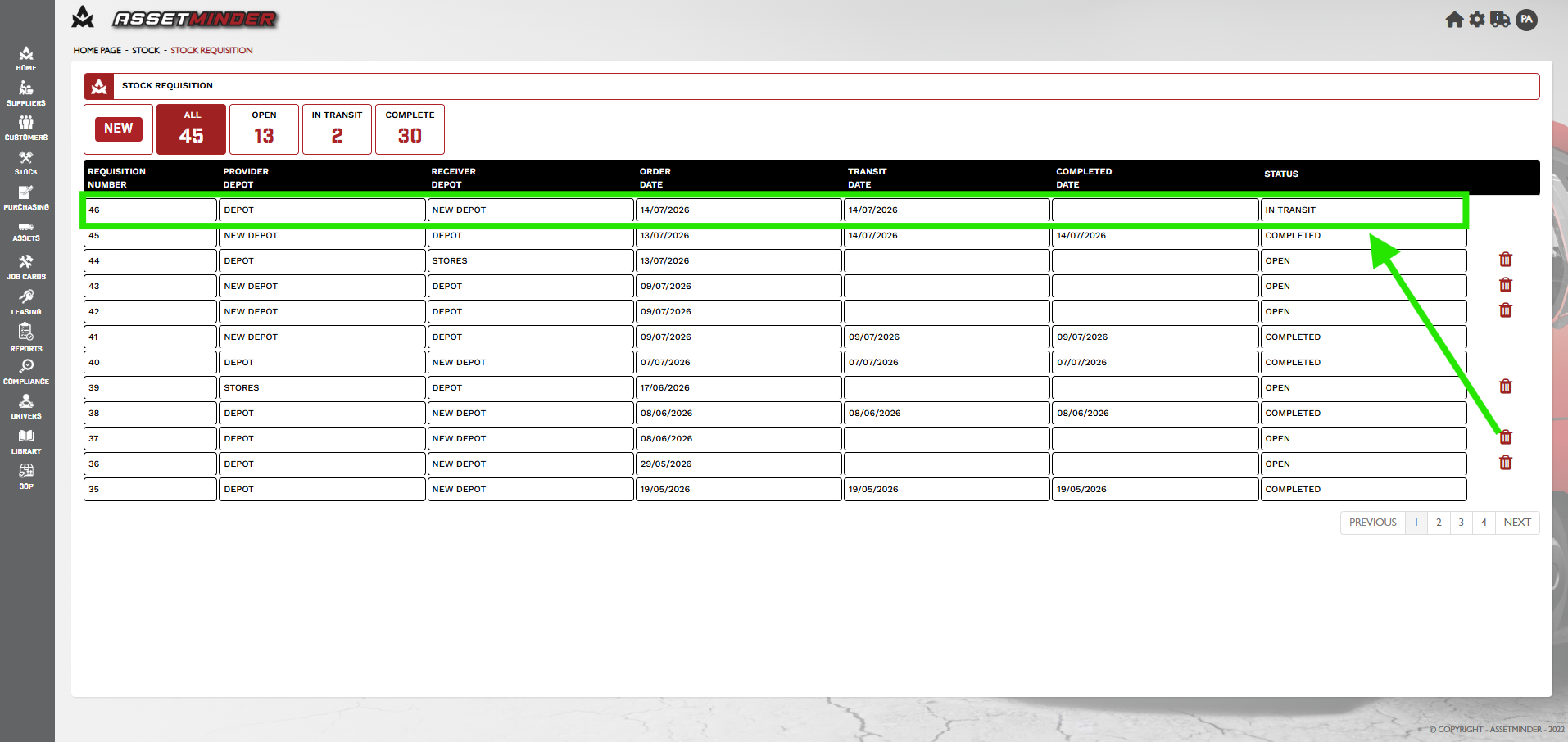
10. The Depot requisition will be marked in transit.
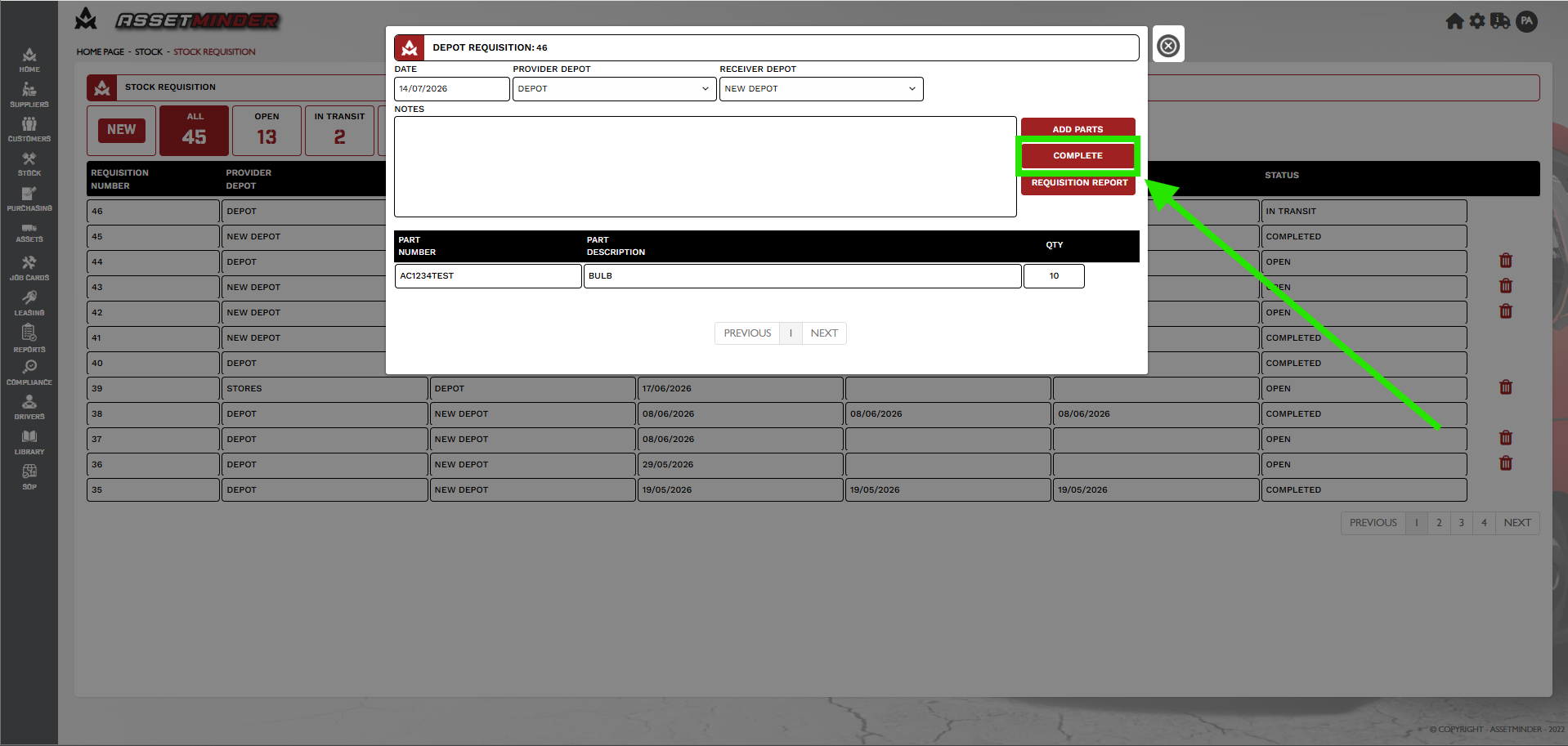
11. When the parts are received in the Receiver depot open the Depot Requisition and click on COMPLETE.
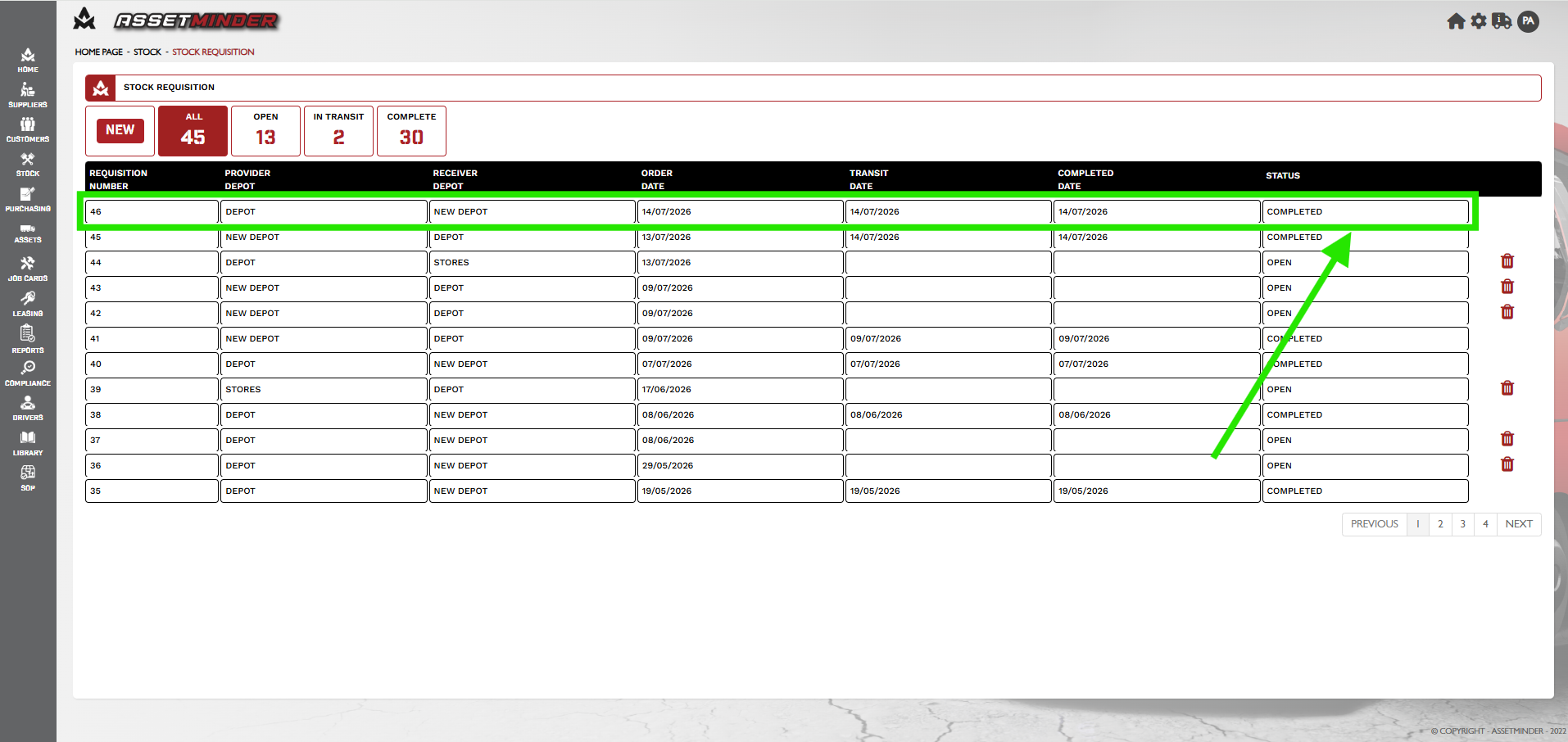
12. The Depot Requisition is now completed.
Paul Murray
Comments