Nominal codes are the unique reference numbers given to each nominal account for a business. Accounting transactions use these nominal codes so that money can be accurately allocated to the correct nominal account.
1. Click the Administrator Settings icon on the home screen.

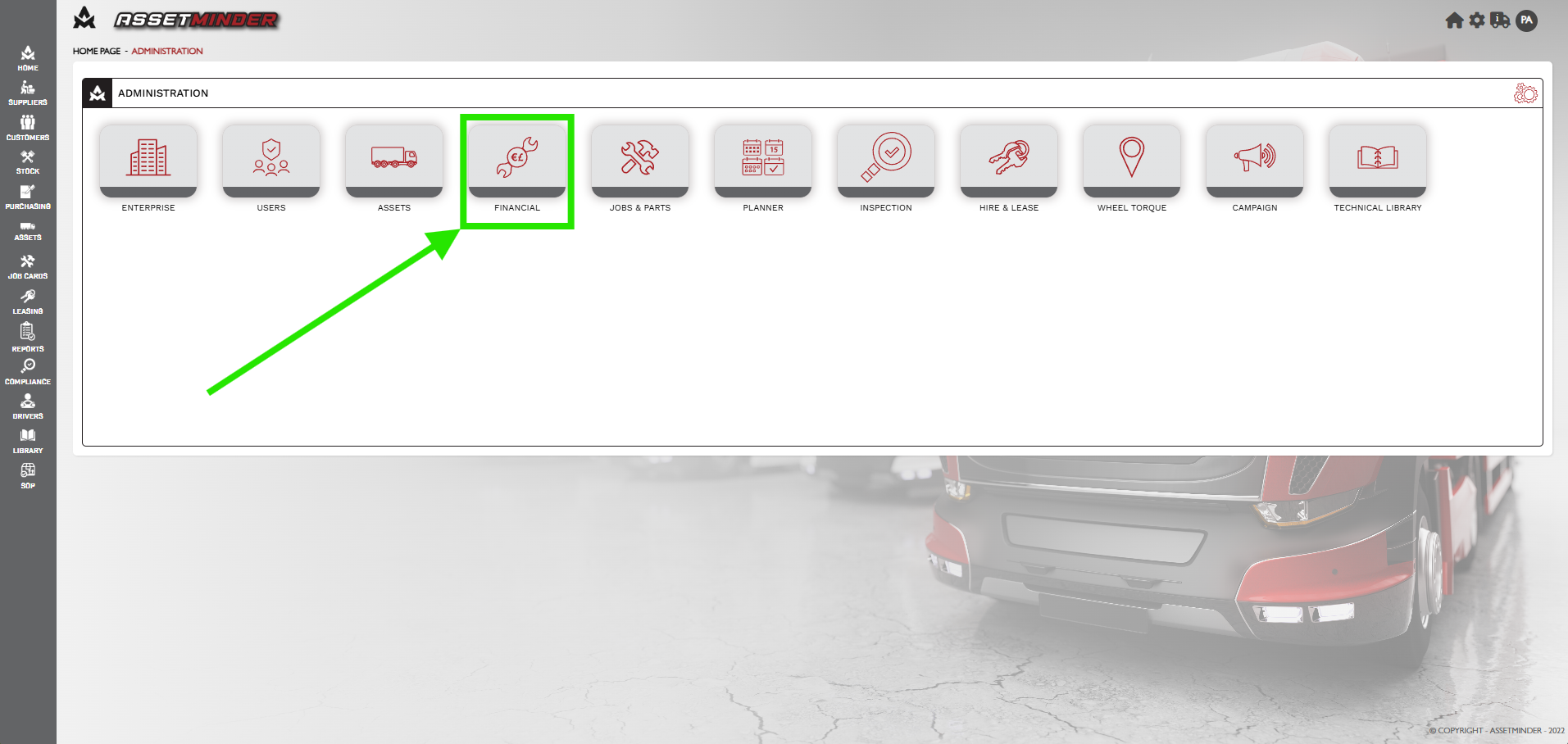
2. Click Financial.
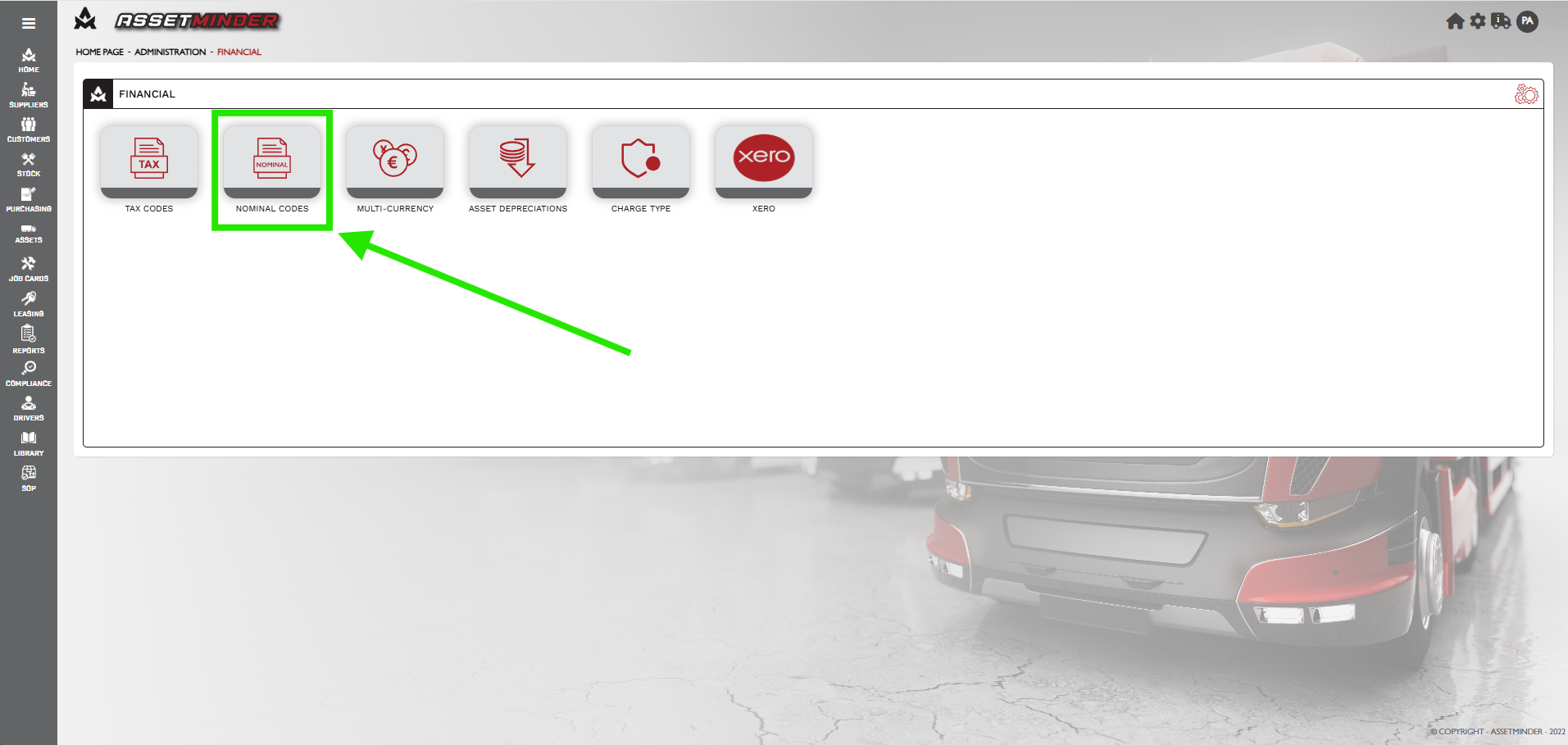
3. Click Nominal Codes.
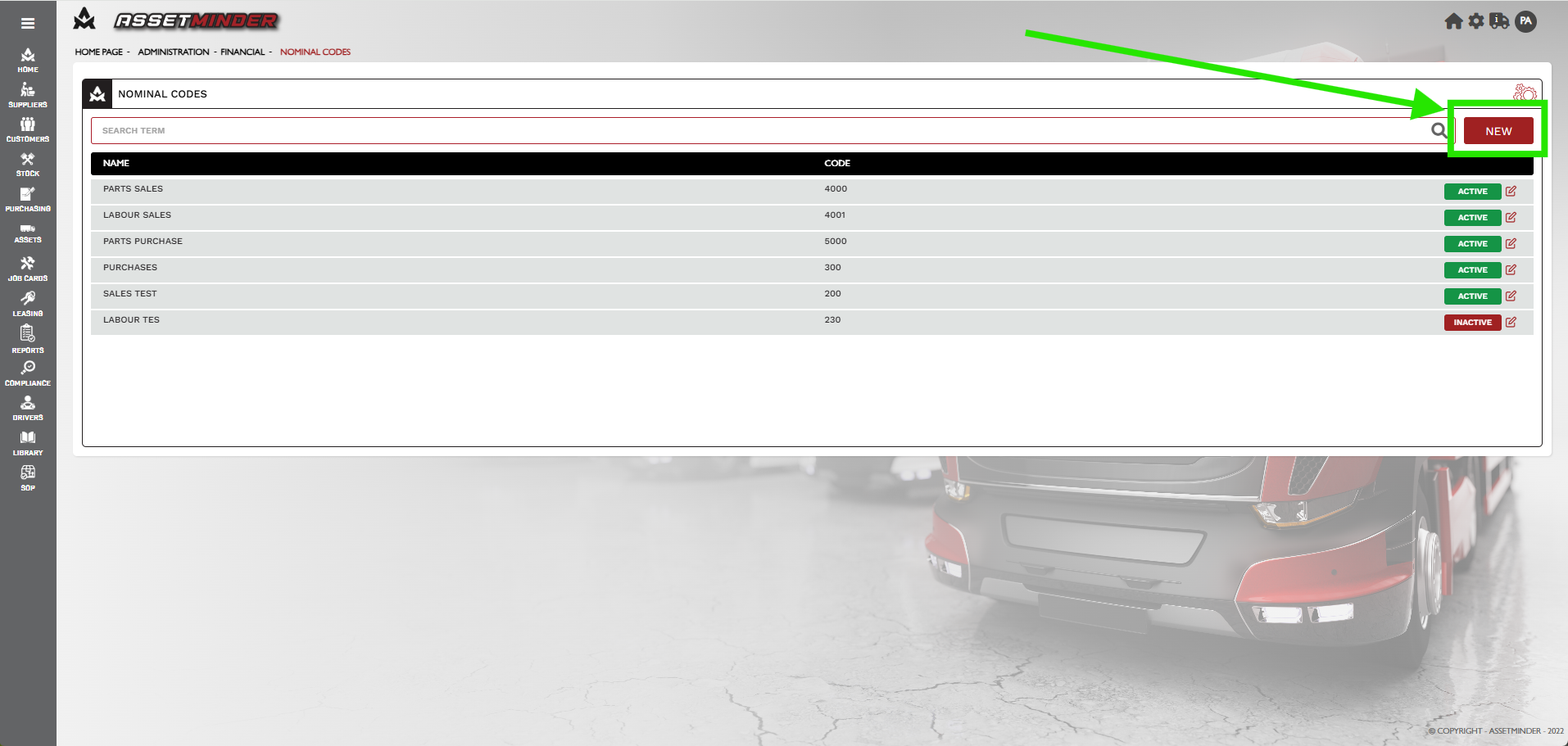
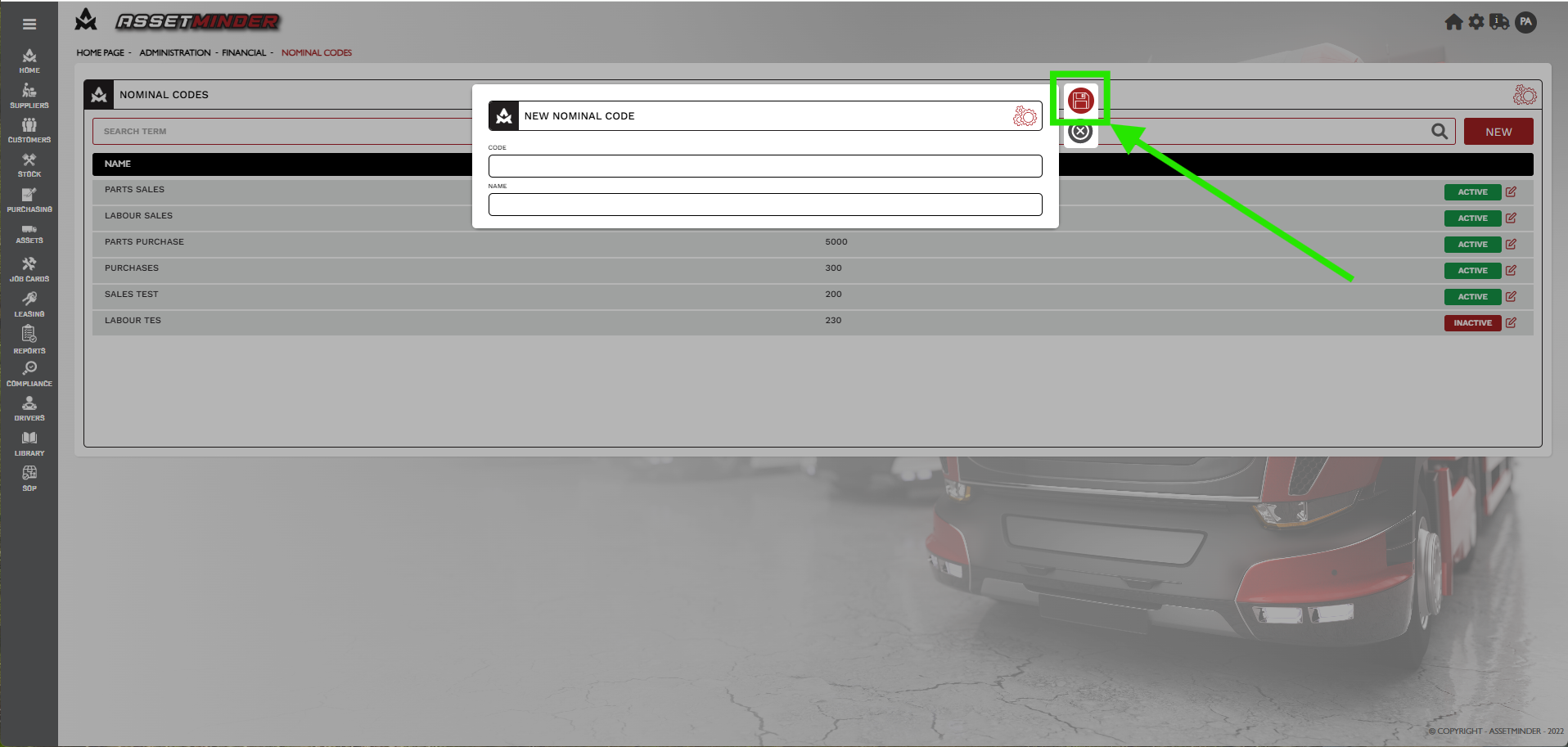
4. Click New.
5. Add the new CODE and NAME.
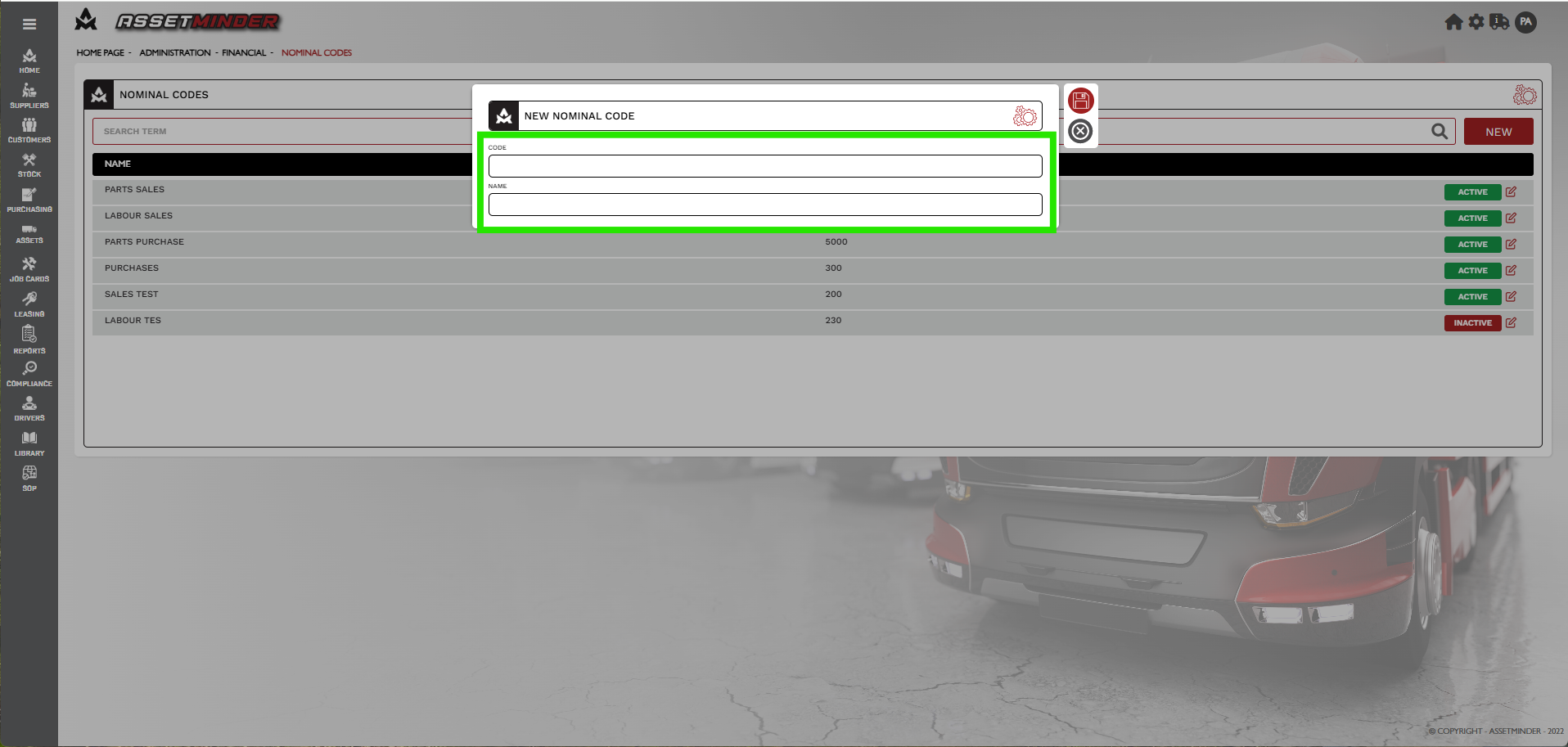
6. Click Save.
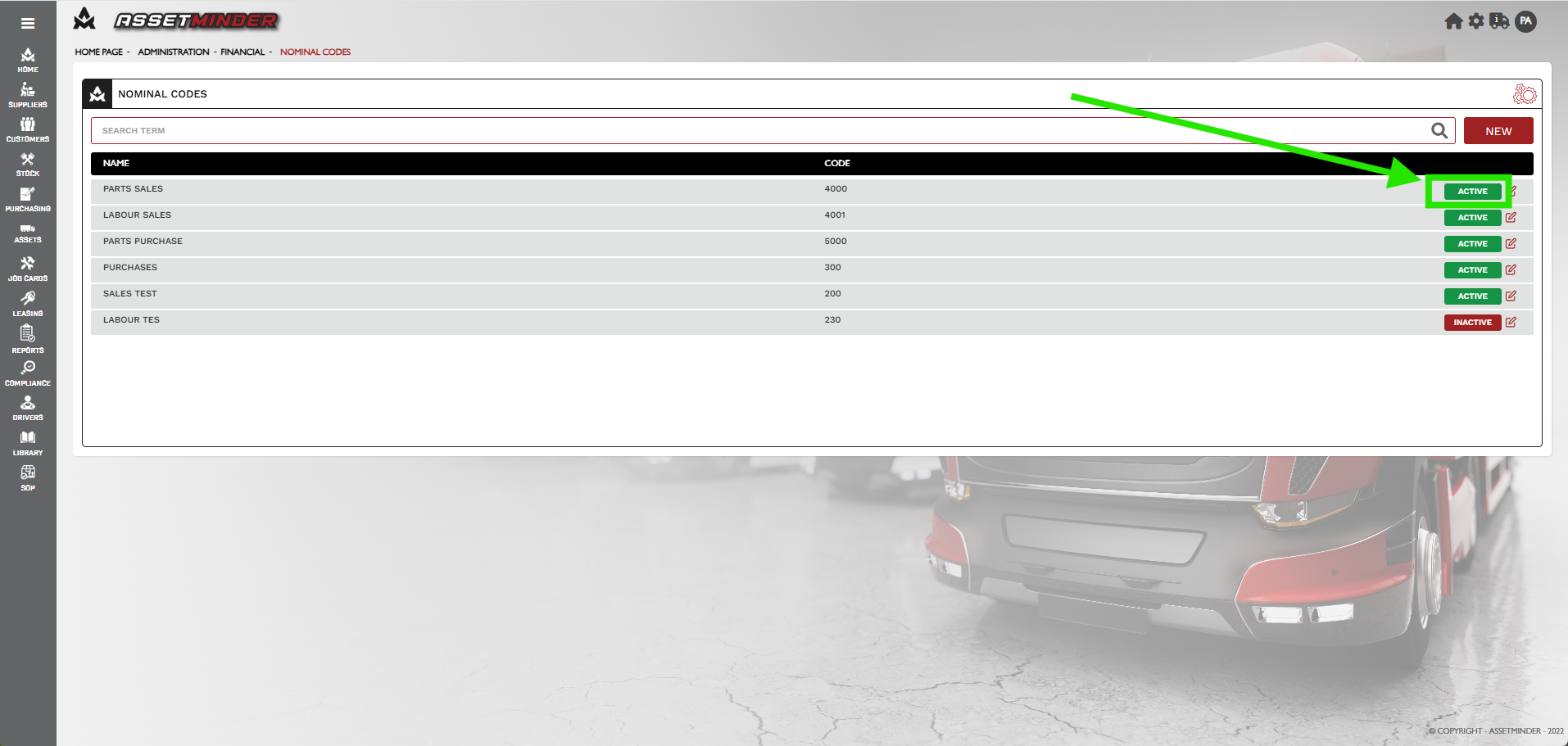
7. Click on INACTIVE or ACTIVE to change status.
8. Repeat the process for all other codes required.
Paul Murray
Comments