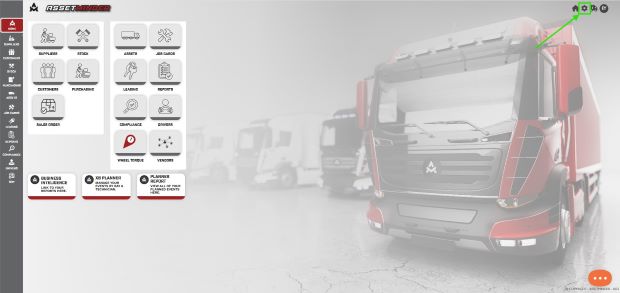
1. To modify system defaults, click the Administrator Settings icon on the home screen.
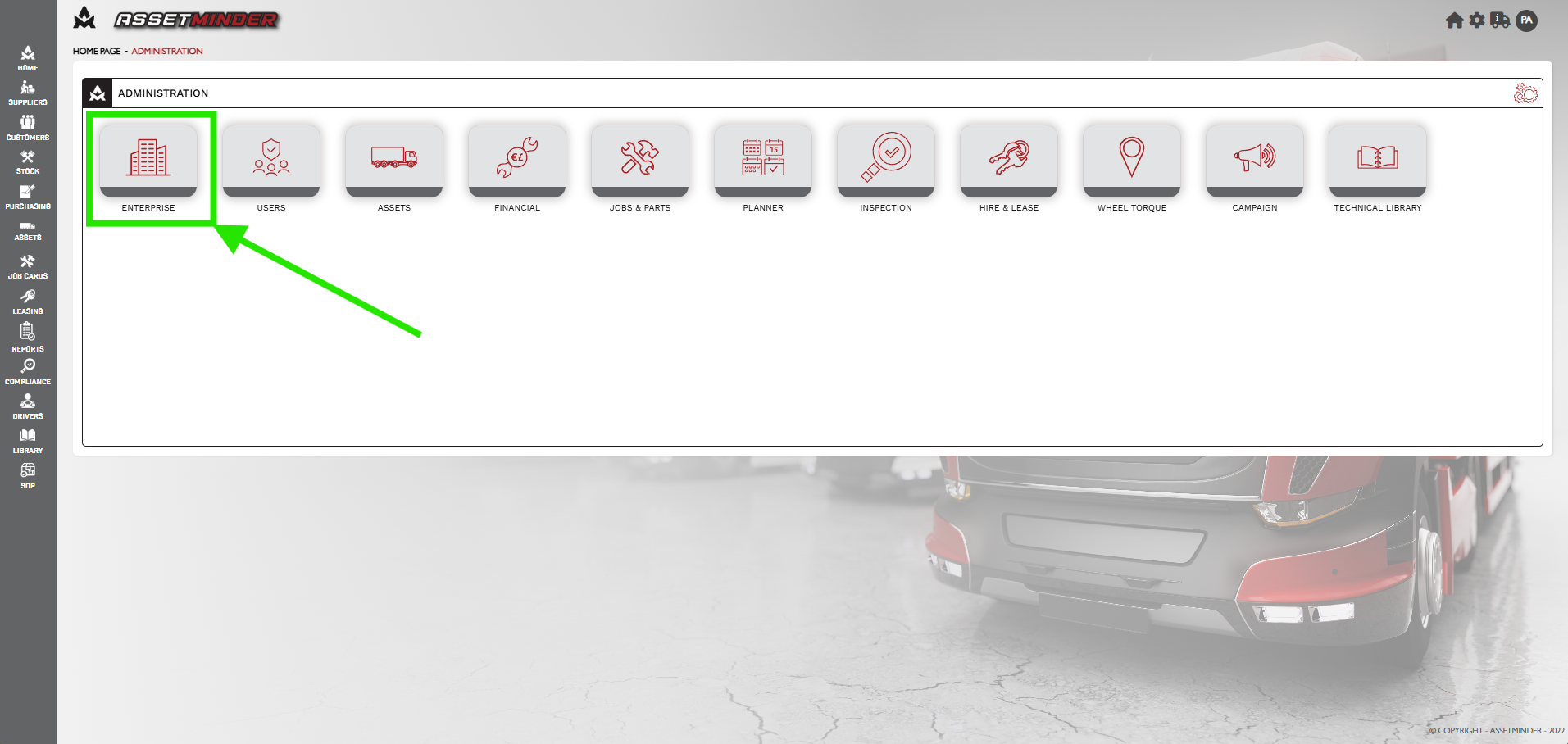
2. Click Enterprise.
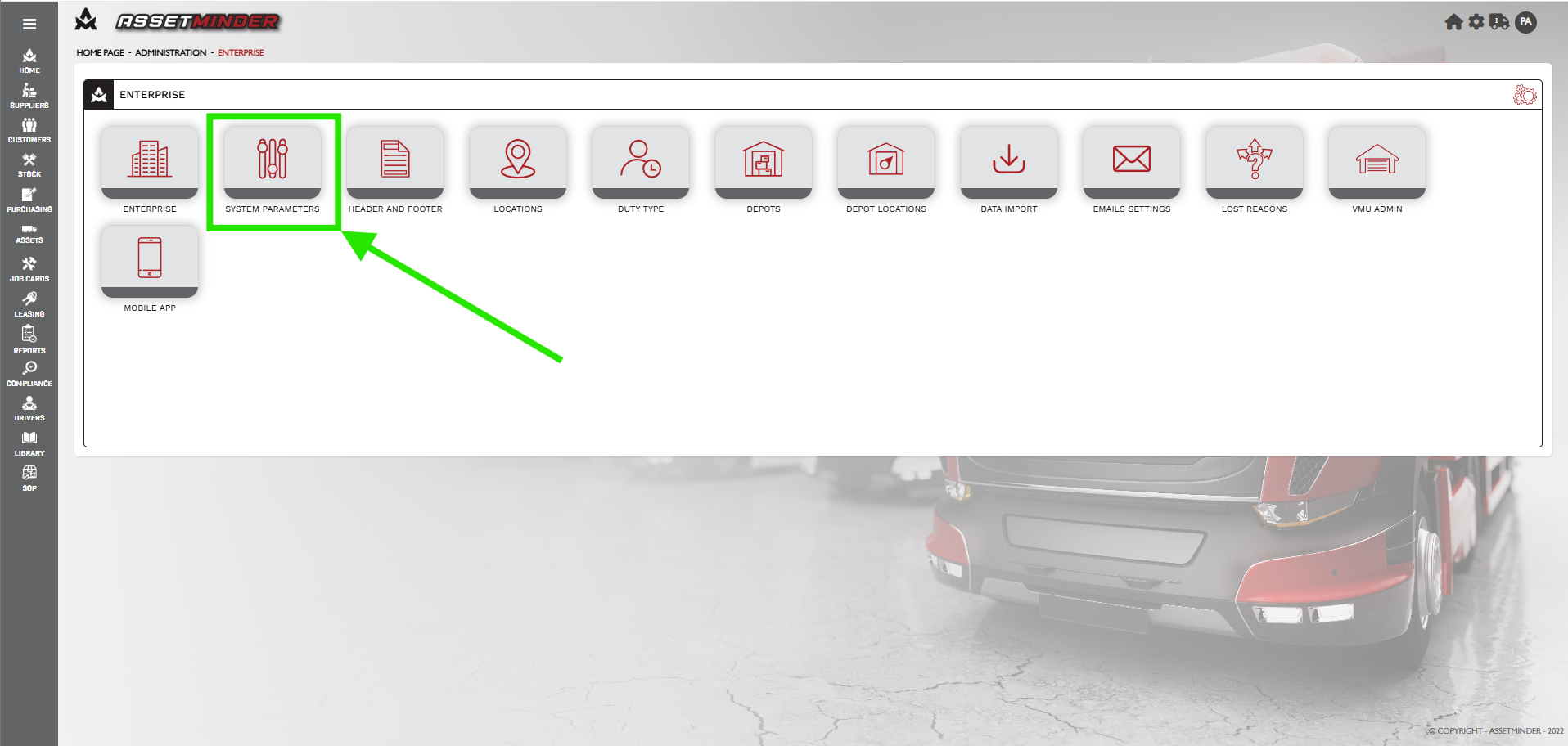
3. Click System Parameters.
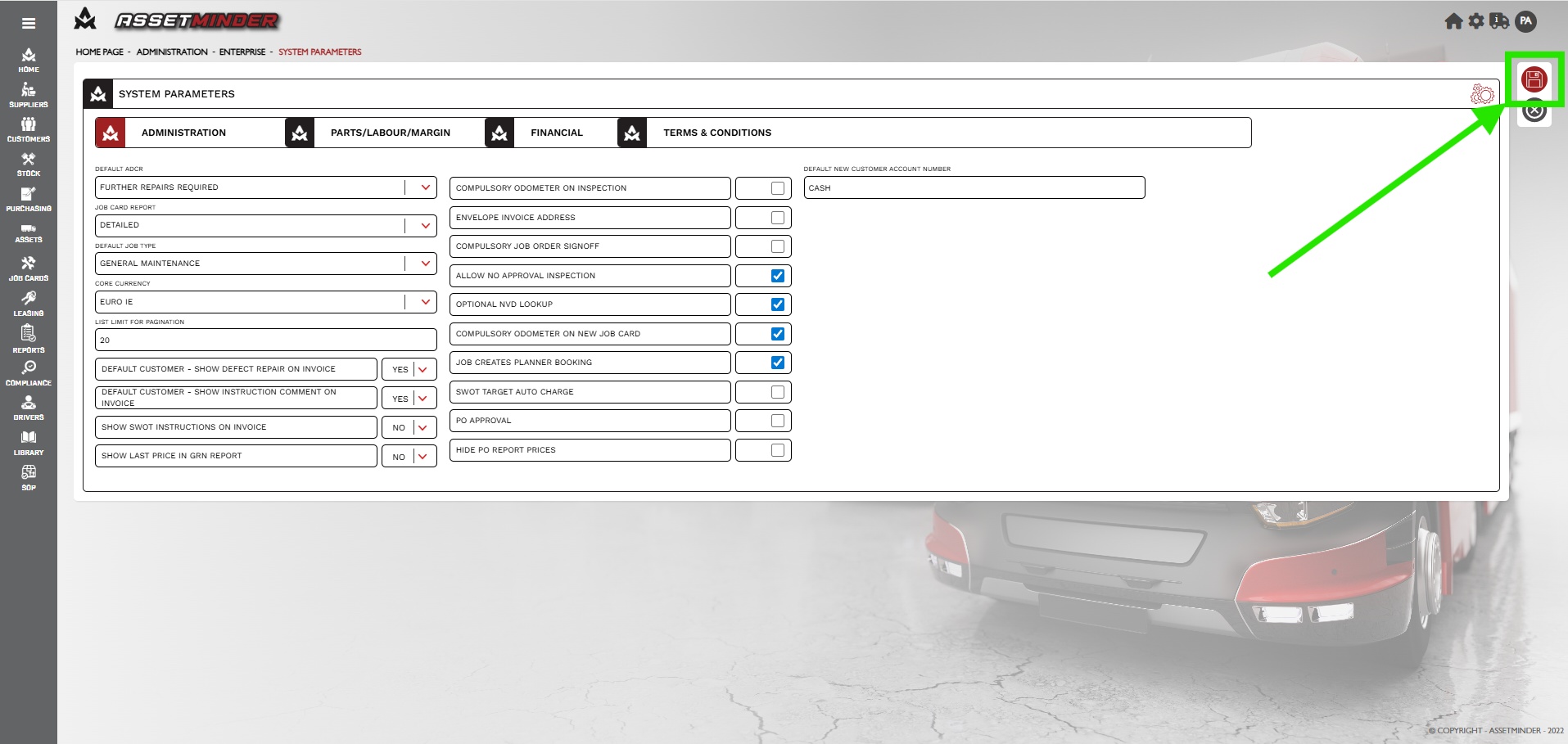
4. On the System Parameters screen. This screen has four tabs ADMINSTRATION, PARTS/LABOUR/MARGIN, FINANCIAL and TERMS & CONDITIONS.
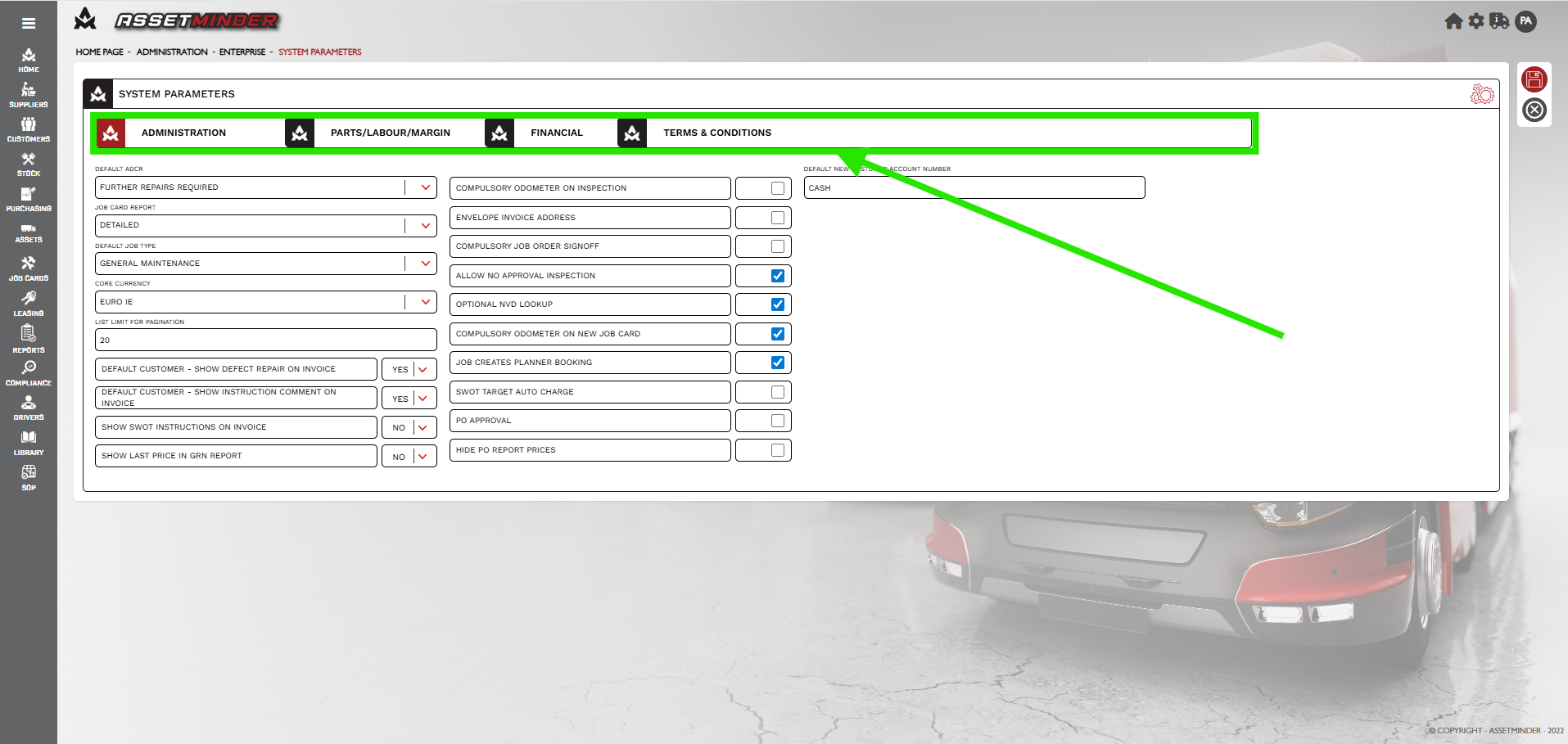
5. Select the ADMINISTRATION tab to change default settings.
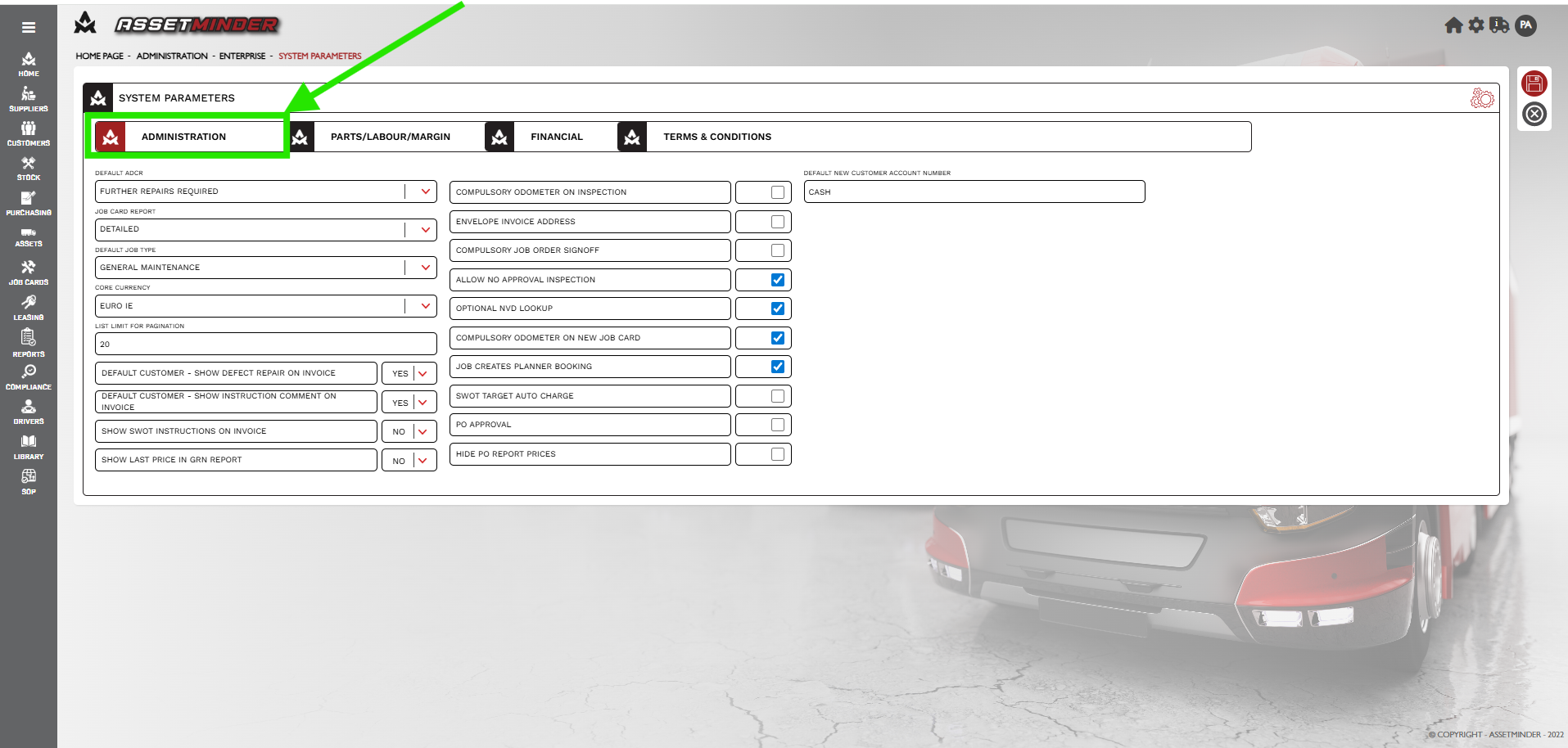
- DEFAULT ADCR
- JOB CARD REPORT
- DEFAULT JOB TYPE
- CORE CURRENY
- LIST LIMIT FOR PAGINATION
- DEFAULT CUSTOMER - SHOW DEFECT REPAIR ON INVOICE
- DEFAULT CUSTOMER - SHOW INSTRUCTION COMMENT ON INVOICE
- Default New Customer Account Number
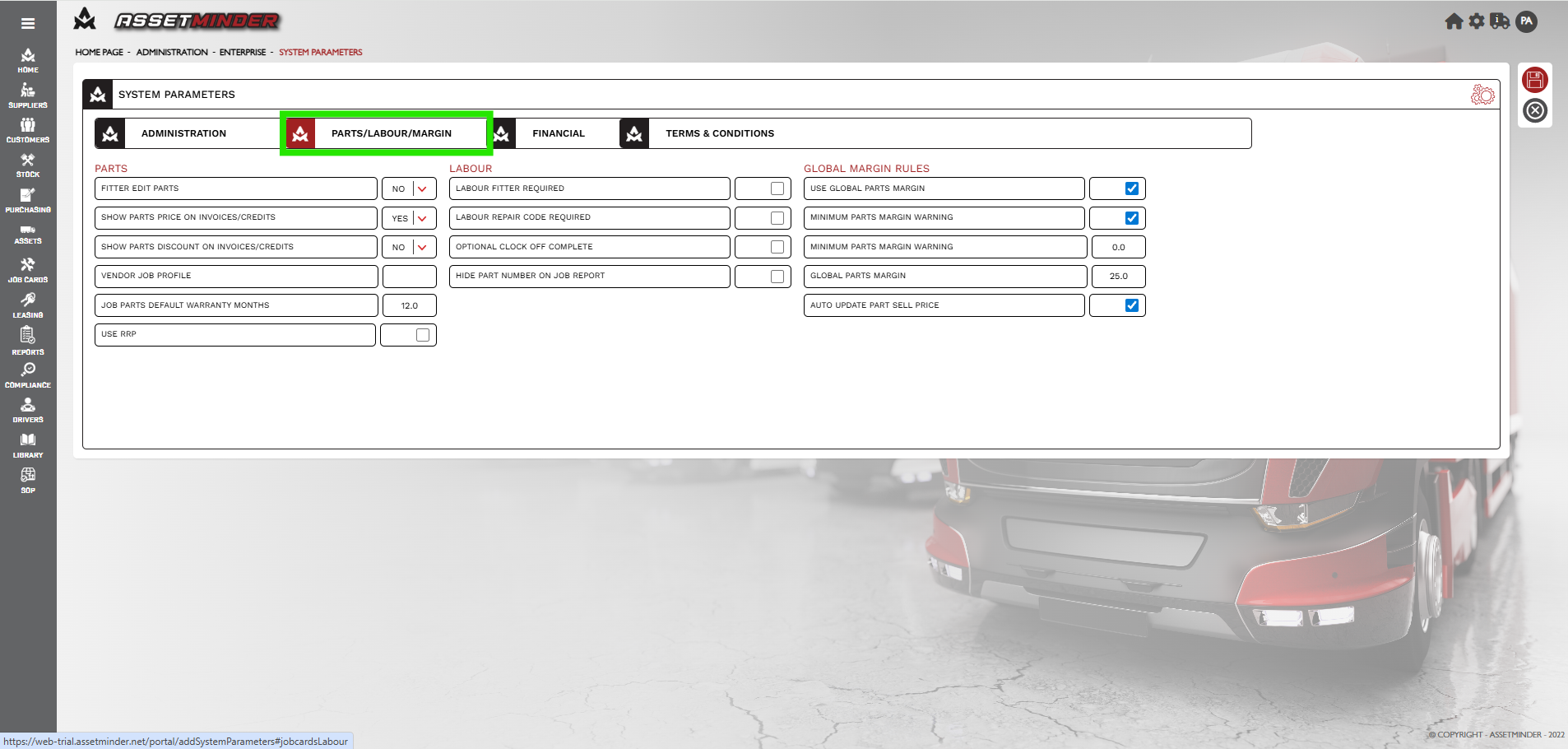
6. Select PARTS/LABOUR/MARGIN tab to change default settings.
7. Select FINANCIAL tab to change default settings.
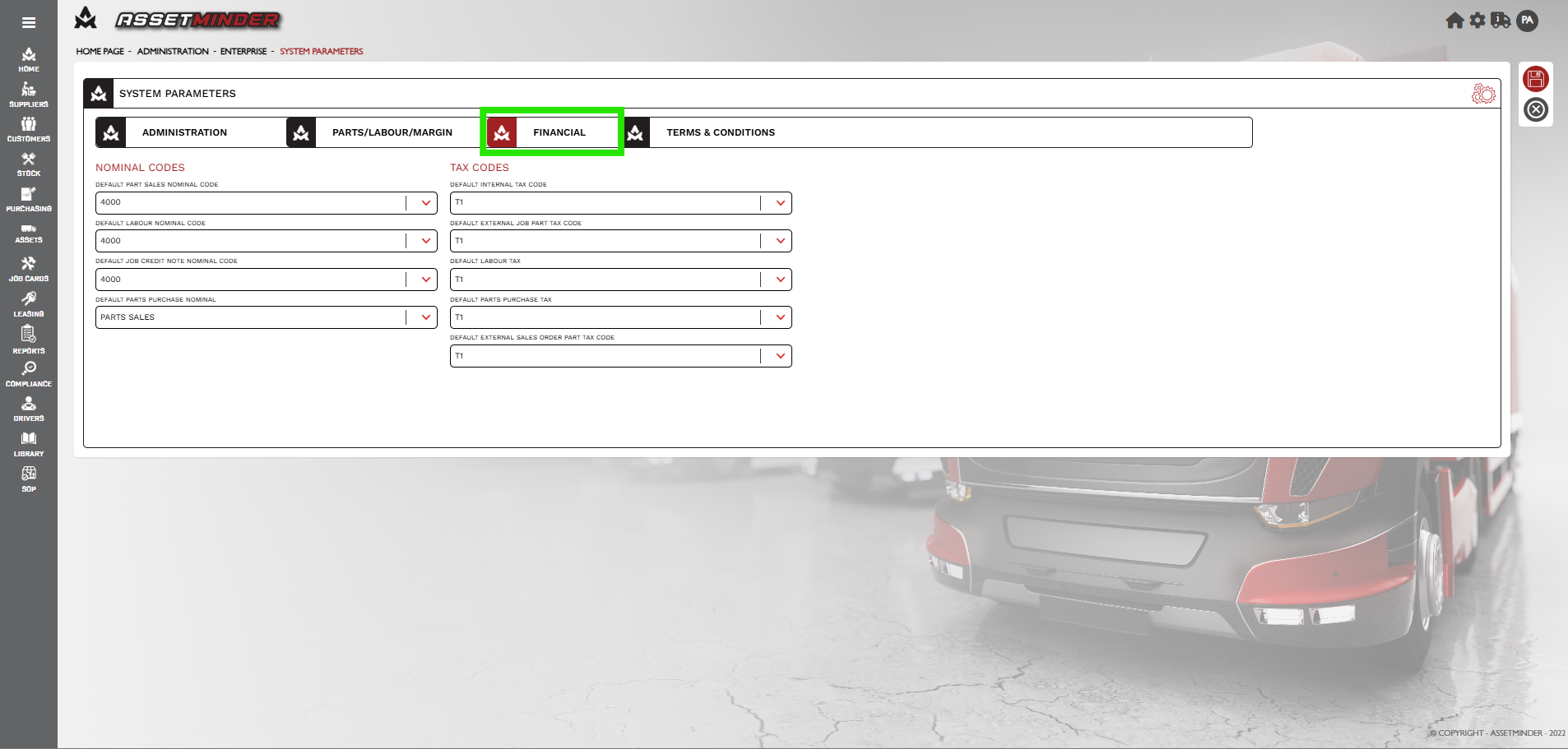
-
DEFAULT PARTS SALES NOMINAL CODE
-
DEFAULT LABOUR NOMINAL CODE
-
DEFAULT JOB CREDIT NOTE NOMINAL CODE
-
DEAFAULTS PARTS PURCHASED NOMINAL CODE
8. Select TERMS & CONDITIONS tab to update.
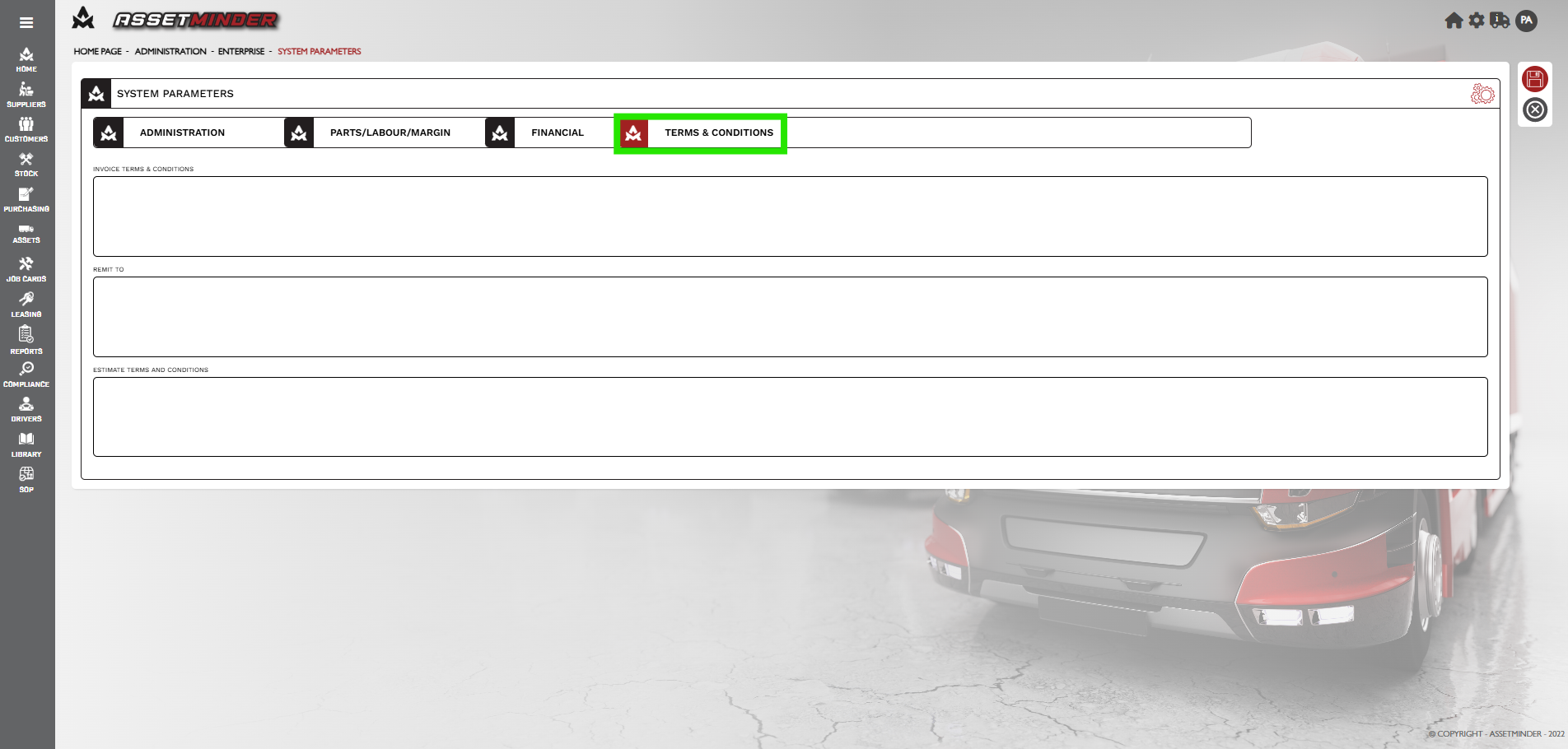
-
Invoice Terms and conditions
-
Remit to
-
Estimate terms and conditions
9. Click Save to apply the changes.
Paul Murray
Comments